
Once you've created an Office and/or Team, you may want to transfer existing members from your Brokerage to these child Org Units. Below are instructions:
1.To create a team, let's start by entering the My Brokerage page by clicking  .
.
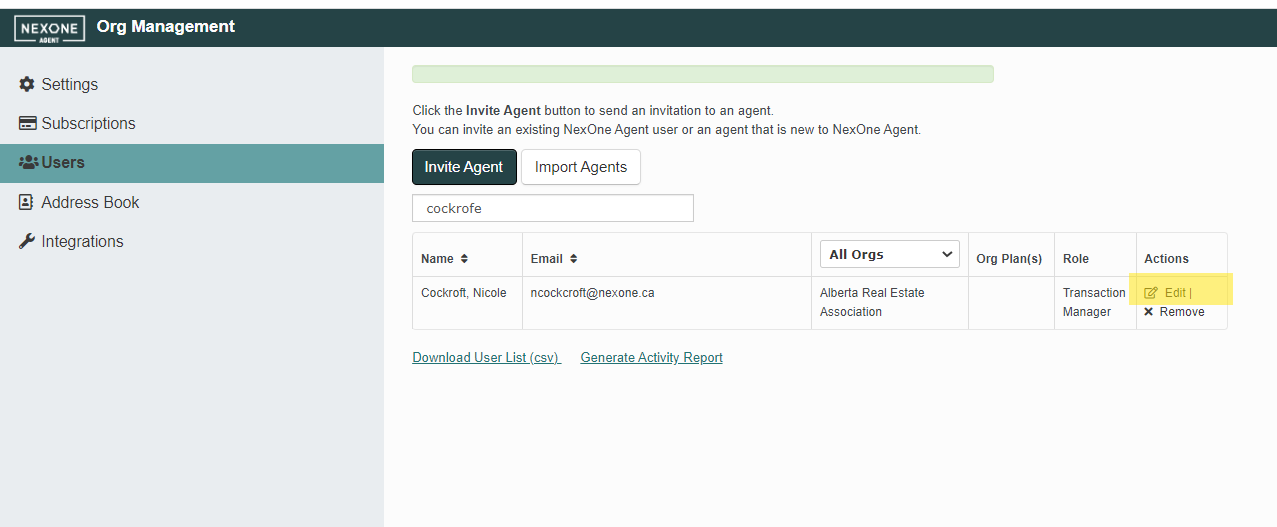
2. Enter the Users section
3. Under the Actions column, click Edit on the member you wish to transfer
4. Expand the Org drop down list to display the child Org Units of your main brokerage
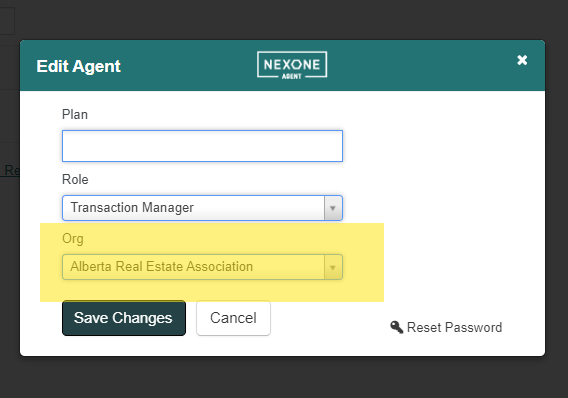
- Once you have selected the Office or Team destination, click Save Changes