
Calendar Subscription Instructions
Learn to integrate your personal calendar into your Nexone Agent. Please scroll down for instructions:
Learn to integrate your personal calendar into your Nexone Agent. Please scroll down for instructions:
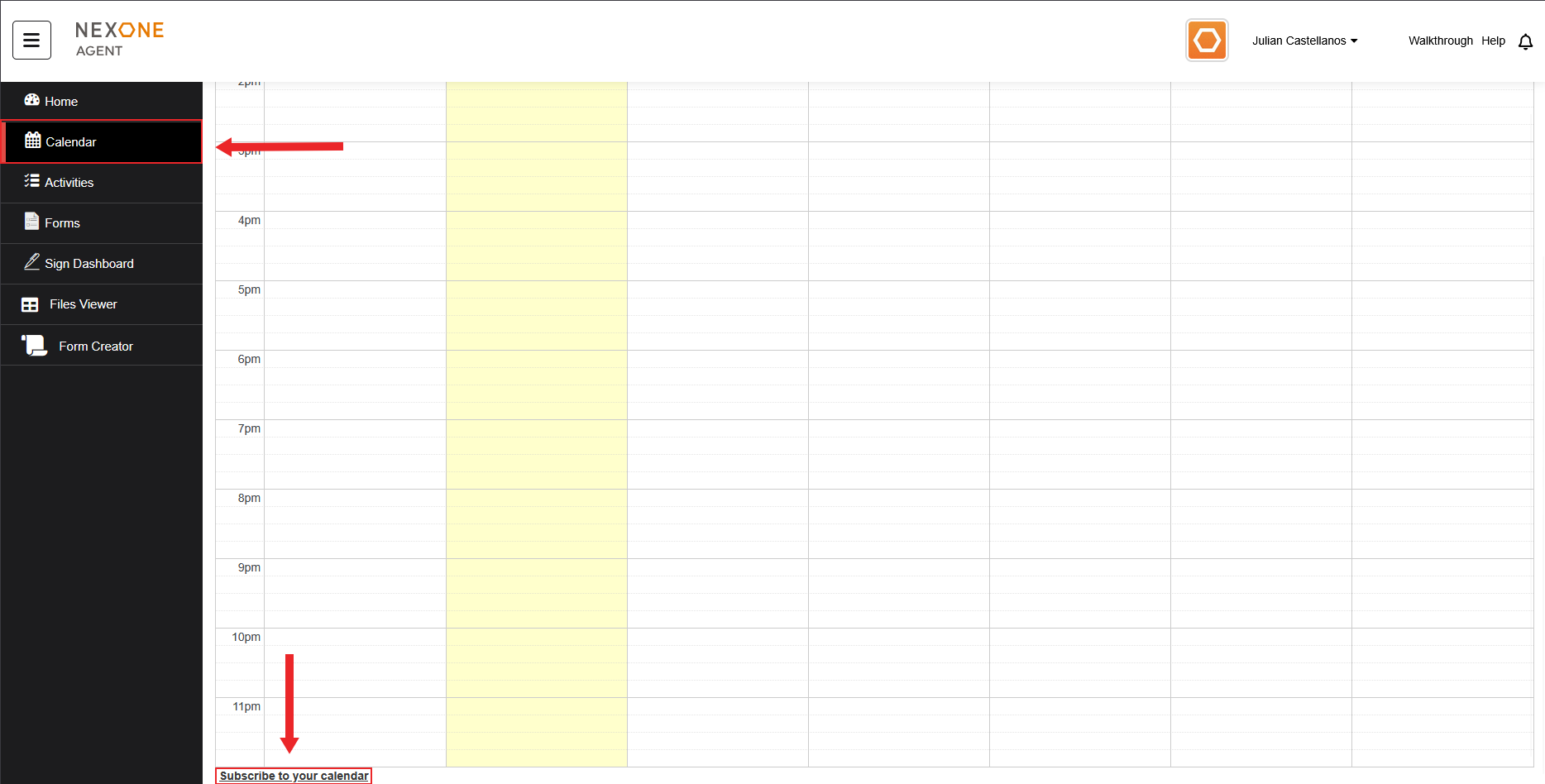
1. Click on Subscribe to your calendar in the calendar tab:
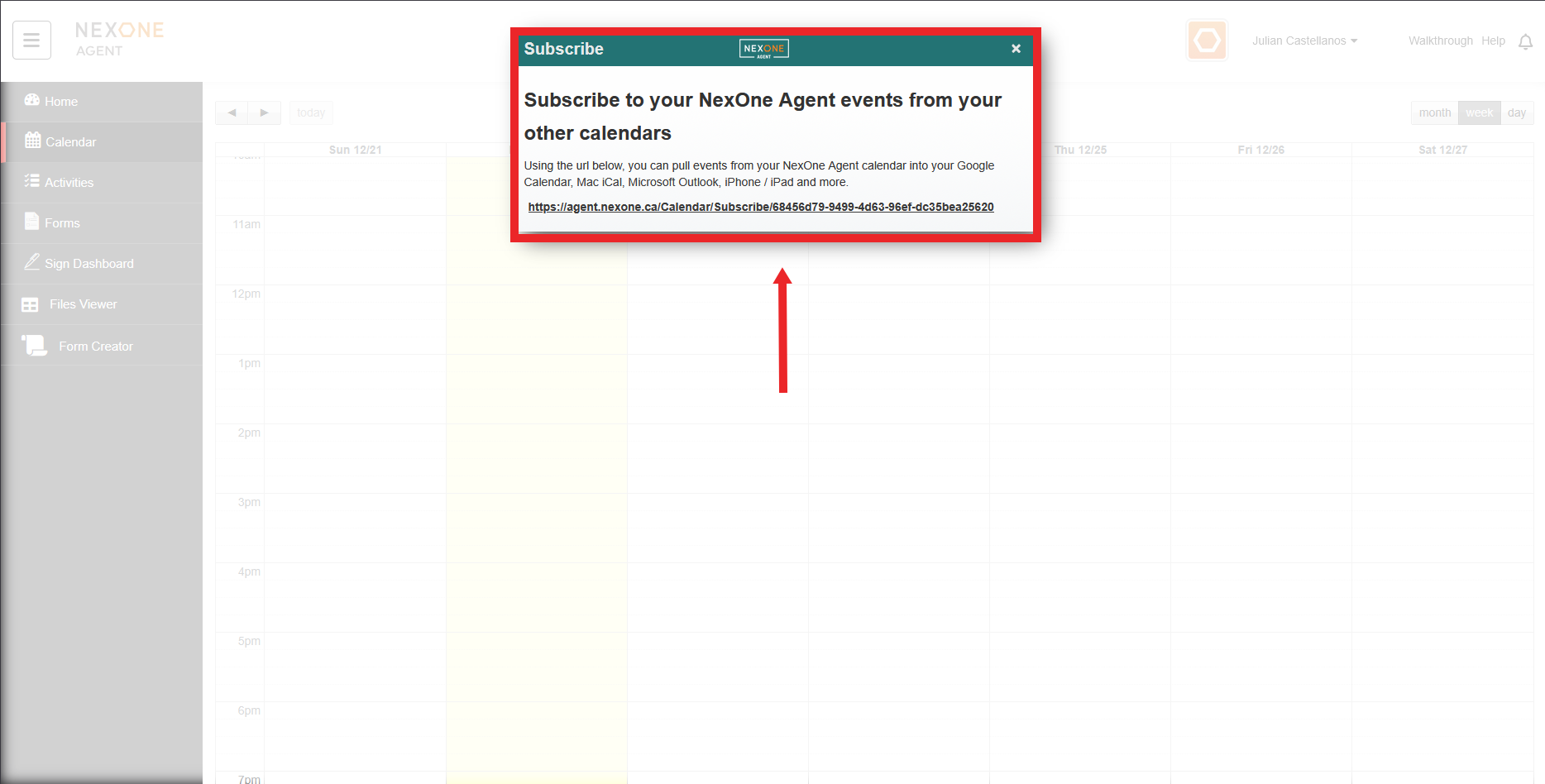
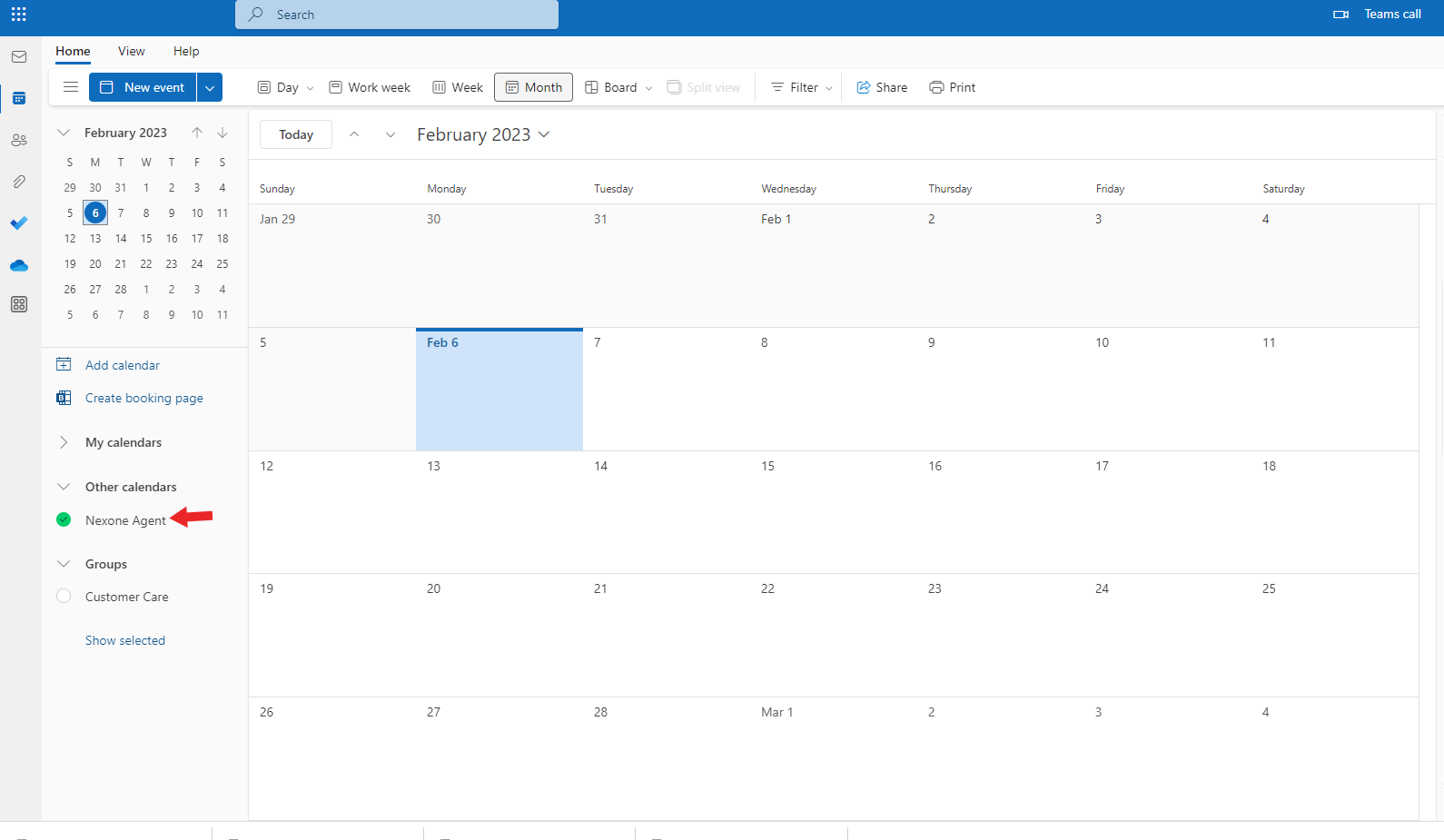
2. Copy the URL Then go to the Calendar on your E-mail, We have here Outlook as an example,Click on Add calendar, Subscribe from web
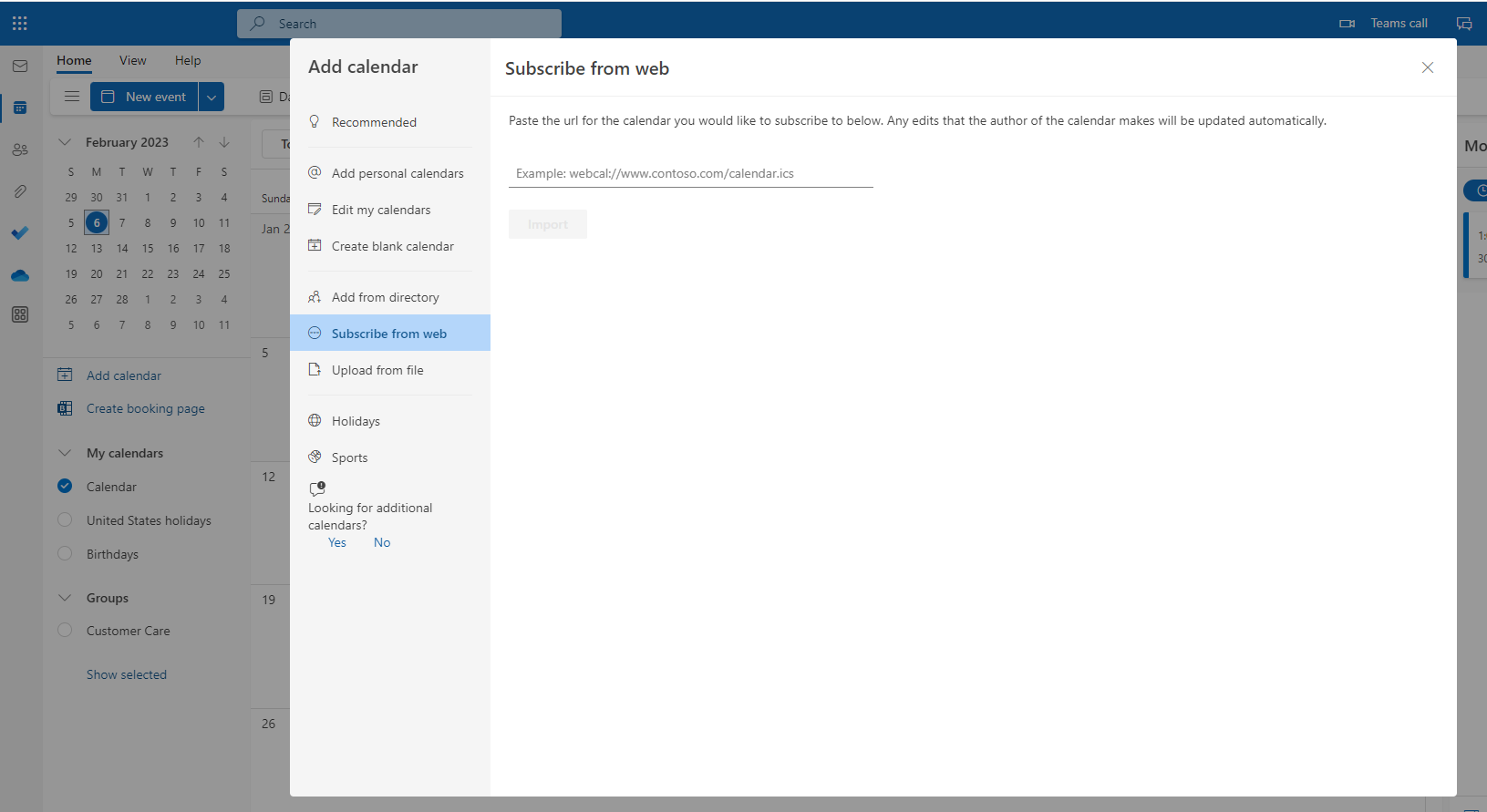
3. Then add the URL and import.
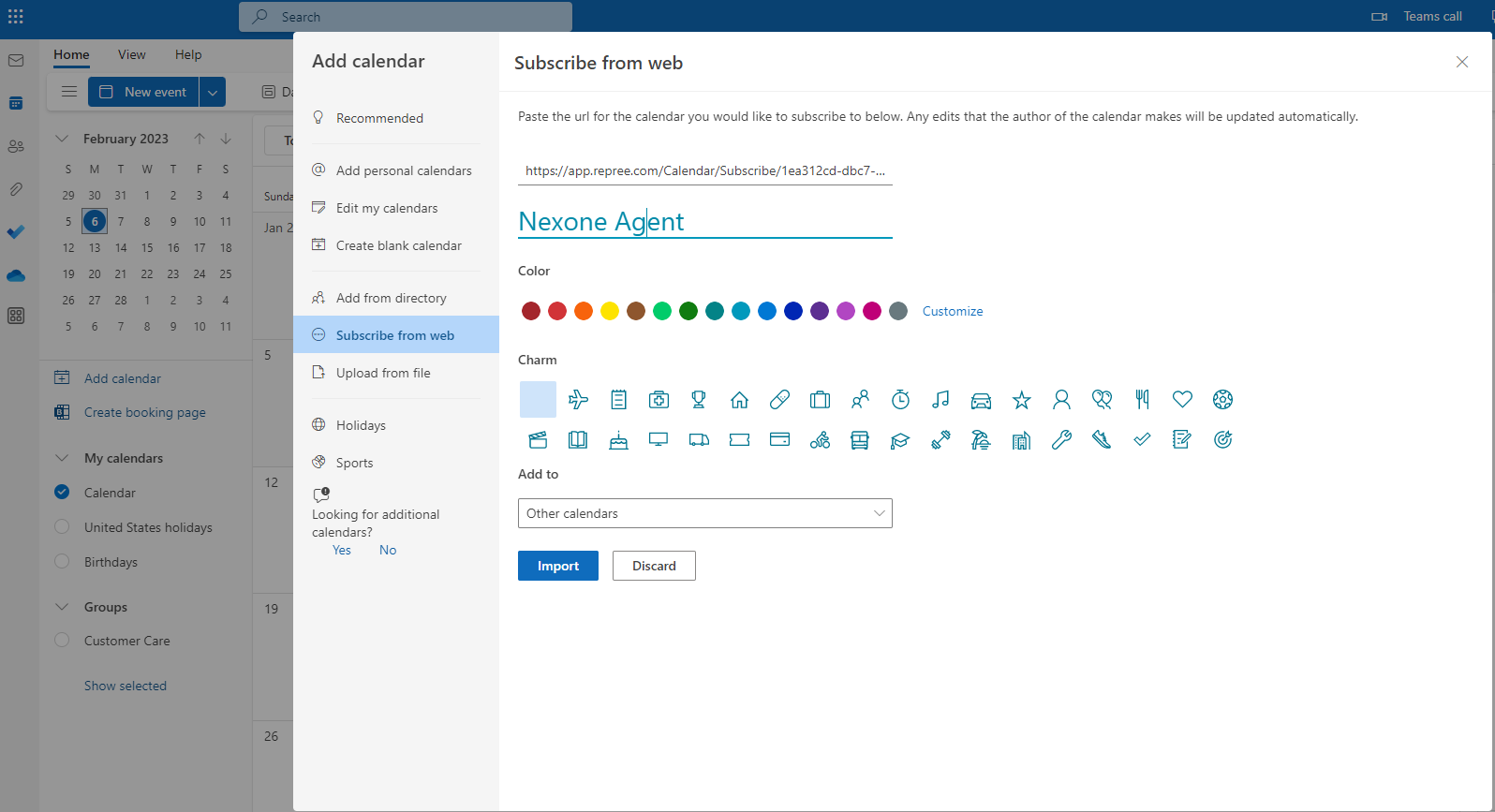
All the events are still communicated over a secure connection