Skip to content
English - Canada
  • There are no suggestions because the search field is empty.

Saving Editable Forms

Never lose your work in progress by saving an editable form.

1. On the top left-hand side of your screen, while filling out your forms, Click on Save Editable Form.

You can re-save editable forms as many times as you need. It will be saved in your “Editable forms” section until it is saved into the file.
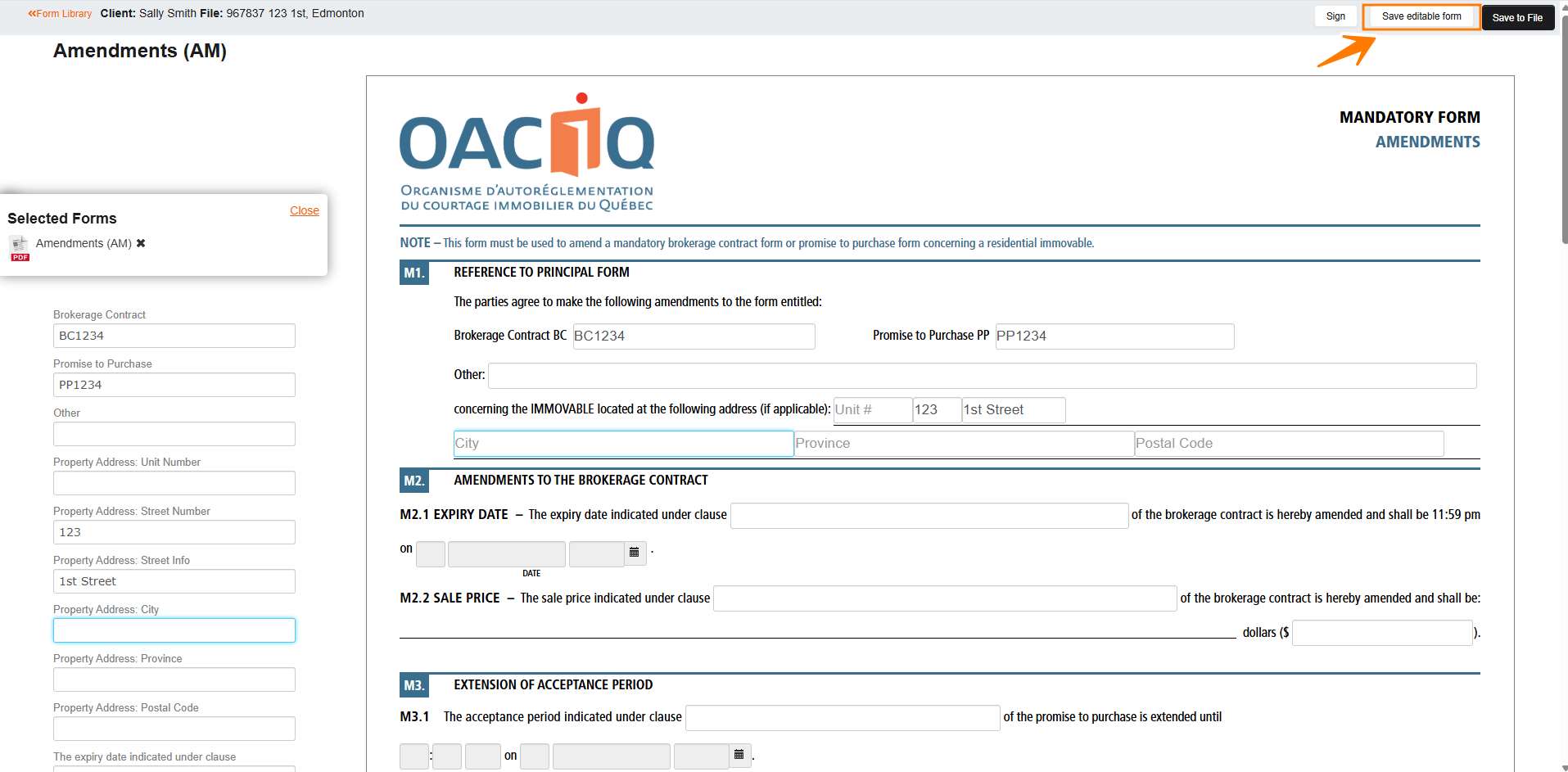
7c34e49a-0183-4824-b924-c6533d62a339

2. After Saving your form as an editable form you will find this form in your “Editable forms” section.
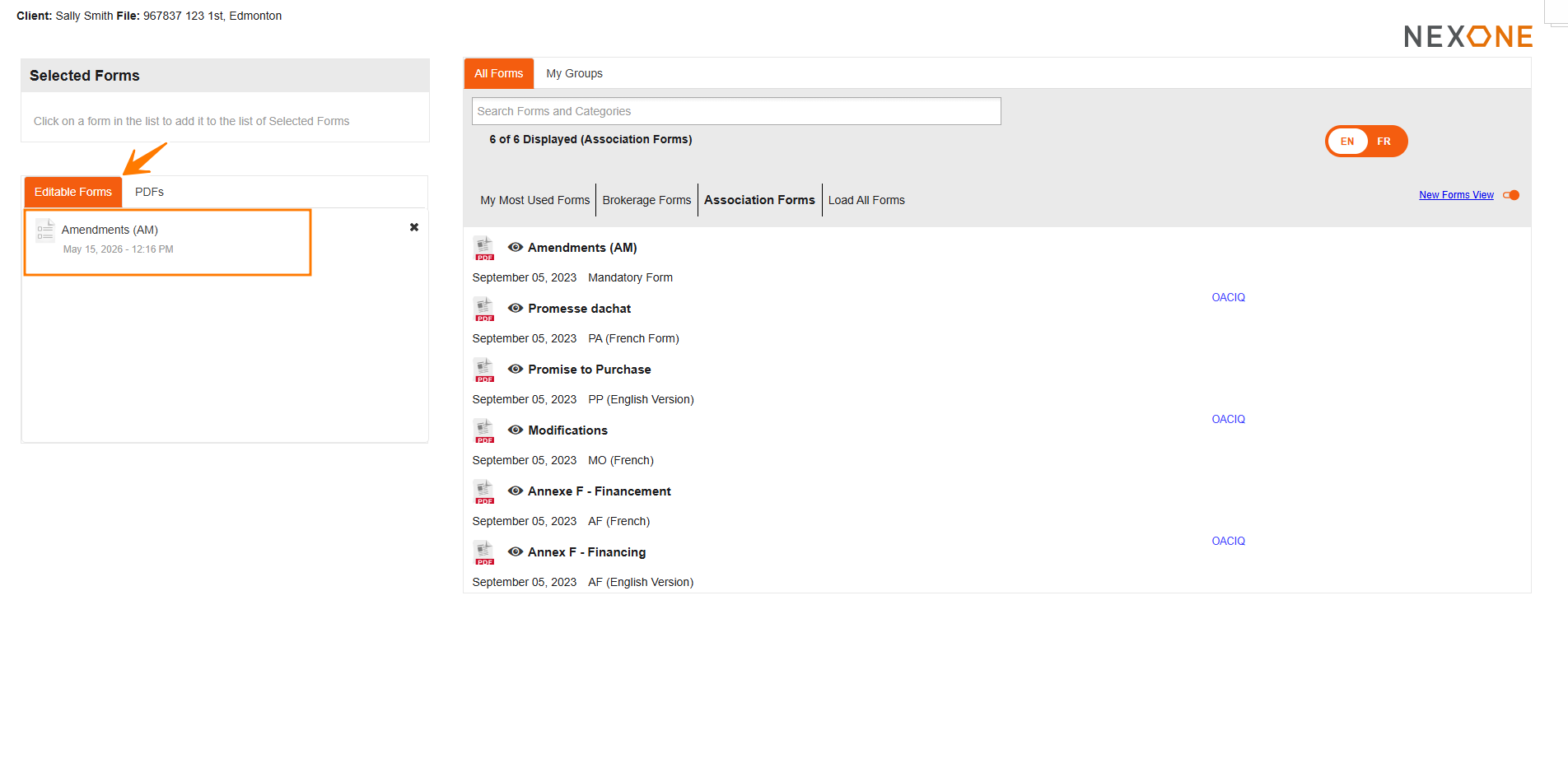
 5bbf5679-9533-496e-aea1-ee39e79a6079

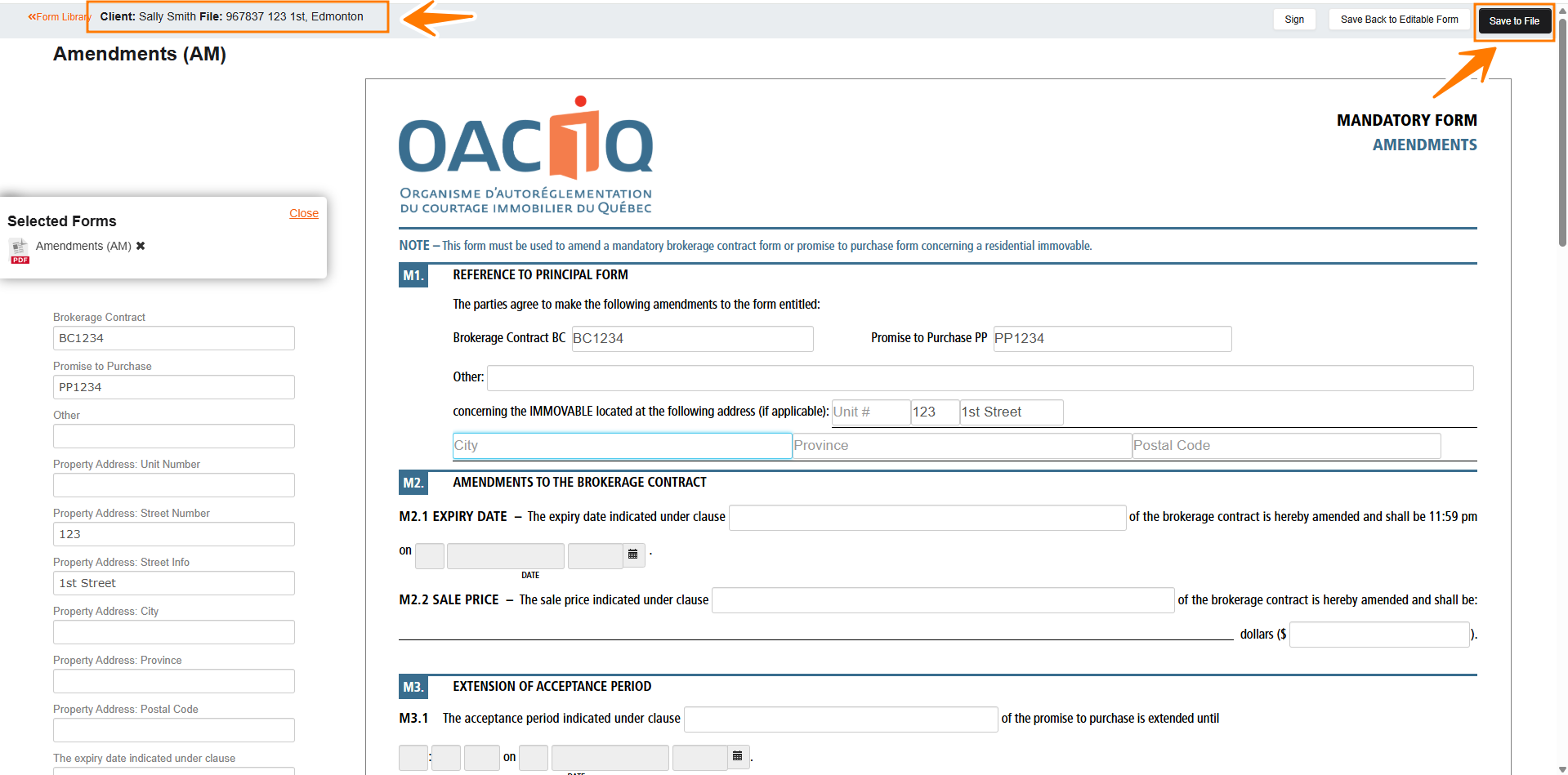
3. If you have completed filling out your form and wish to save it as a PDF you can do so by clicking “Save to File”

 f1d7705e-081b-4c06-a30d-074fa041ab12

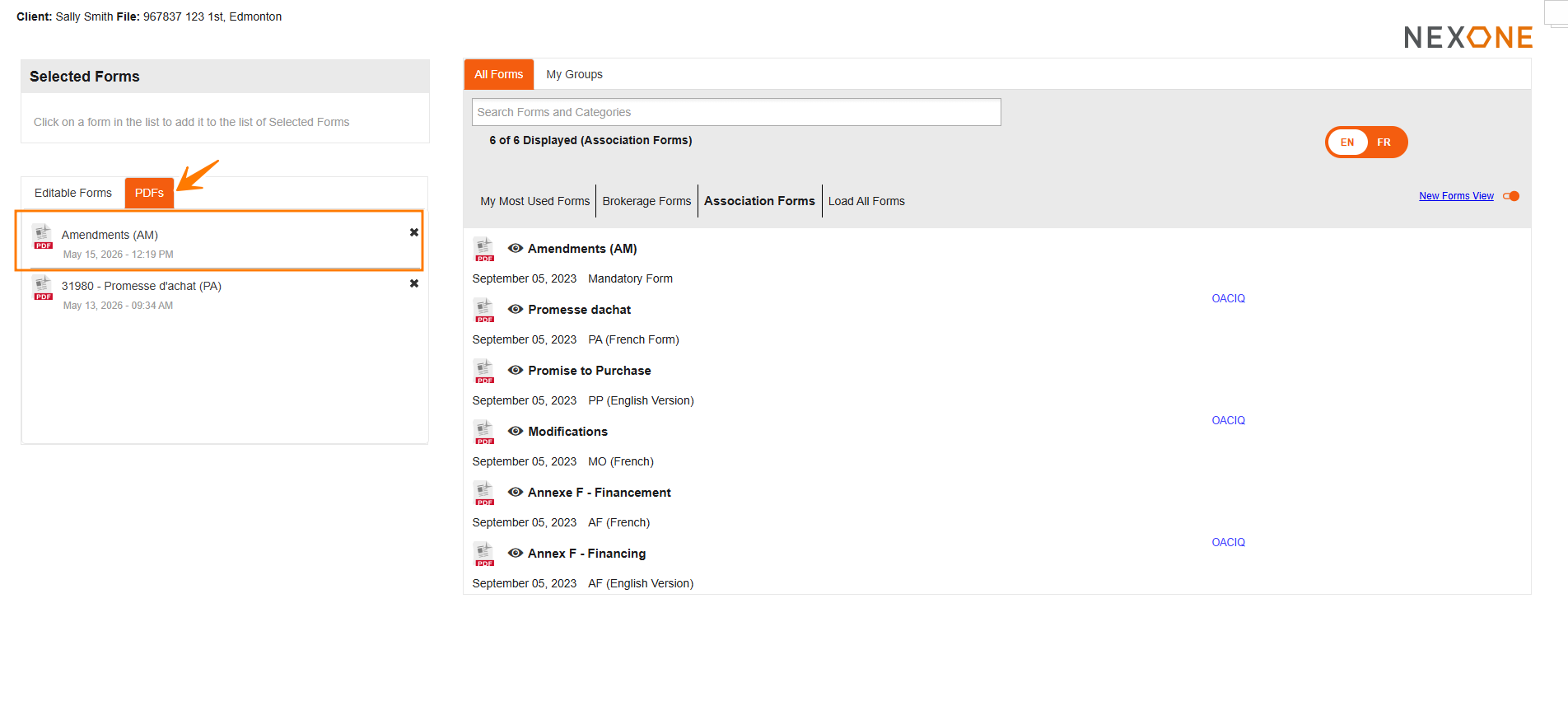
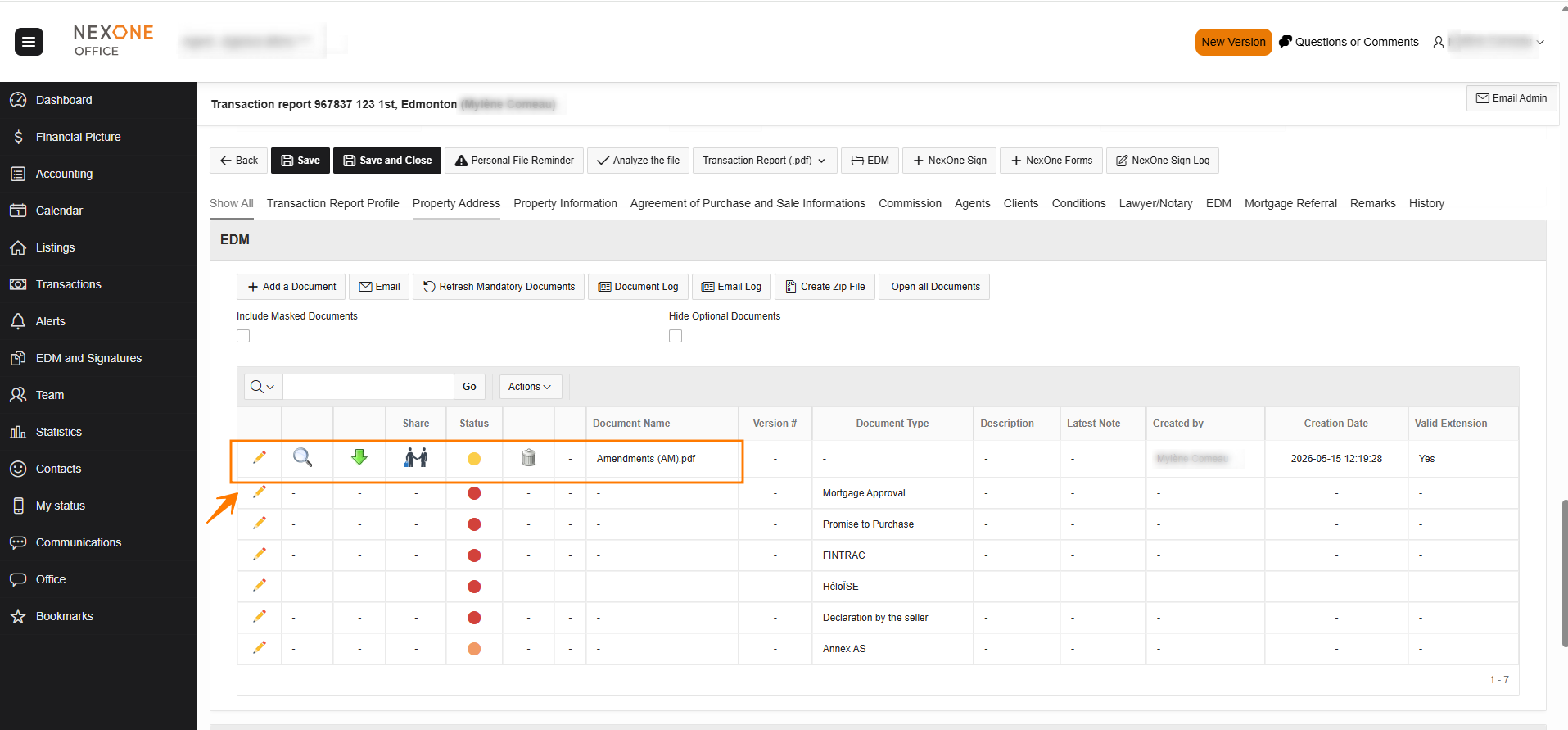
4. This will take you back to your EDM section.
 64090cd3-b84f-47f9-a08e-6b0eb694f302

5. Locate the saved PDF form in your “PDF” section.

 7e29e37c-fff1-49ab-b67c-1d24aadd0e81

6. It is always prudent to save your documents when modifying them. However, an auto-save is triggered every three minutes if the document was saved at least once by the user.

You can see the last automatic save, on the top right-hand side of the Editable form section.

 2a16da74-b16a-45c3-b7c5-b9b61ace735d