
To rename submission plans:
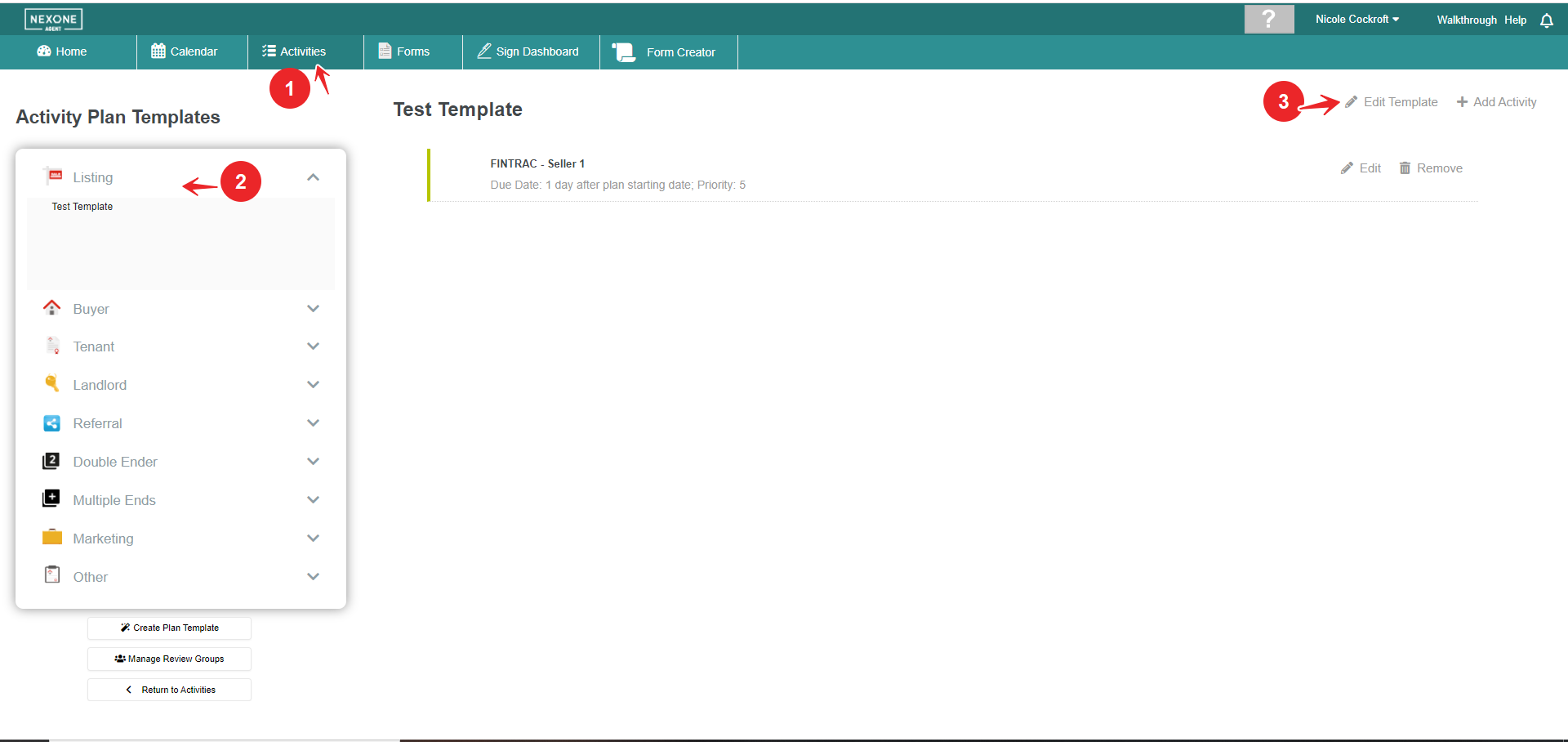
1. Click on the Activities tab.
2. Select the plan from the dropdown.
3. Click on the Edit Pencil.
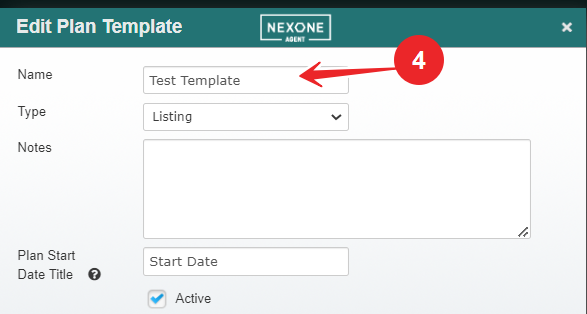
4. Rename the plan.
5. Click Save found at the bottom of the page.
1. Click on the Activities tab.
2. Select the plan from the dropdown.
3. Click on the Edit Pencil.
4. Rename the plan.
5. Click Save found at the bottom of the page.