
To remove a member from your brokerage, follow the instructions below:
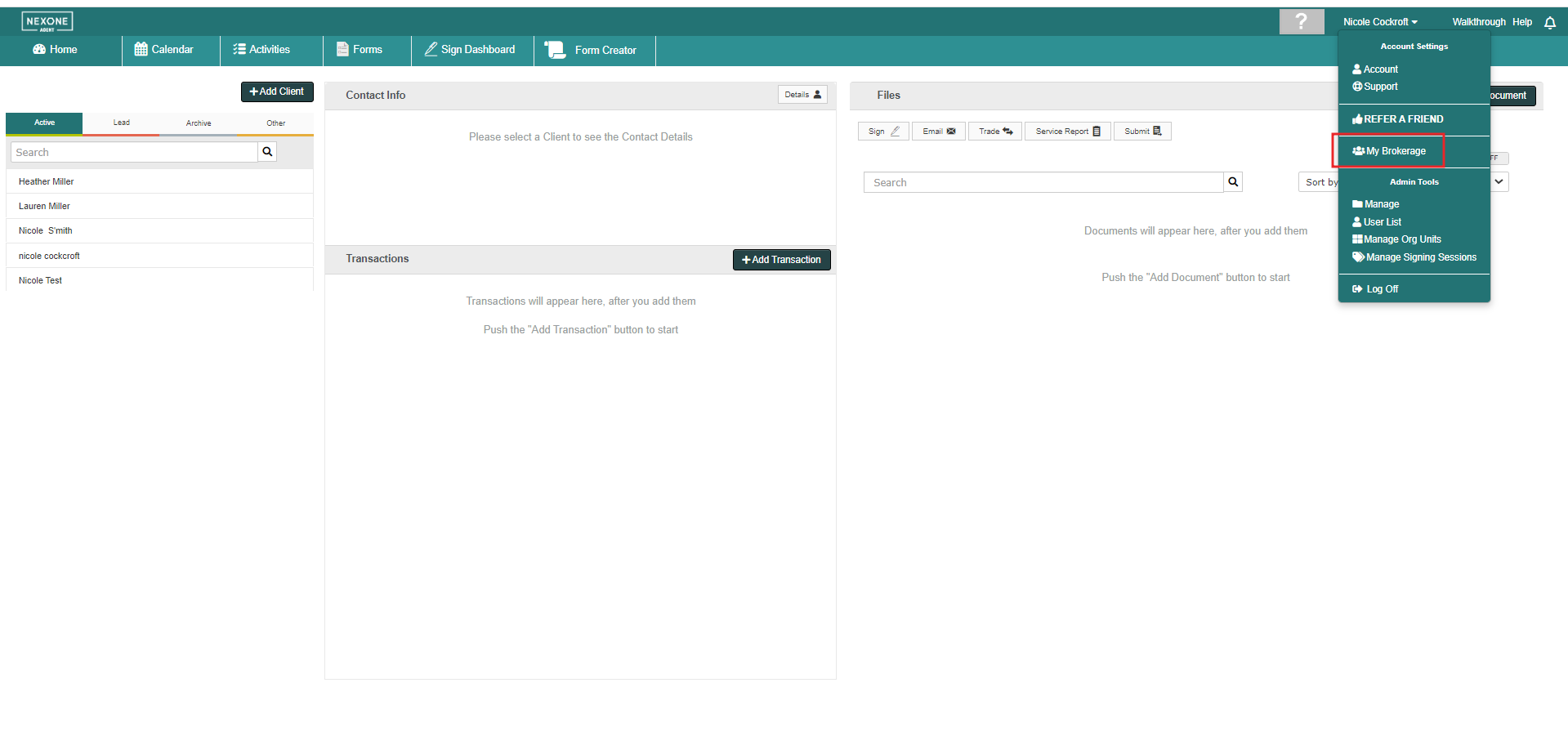
1. Expand your Account Settings and click the My Brokerage button.
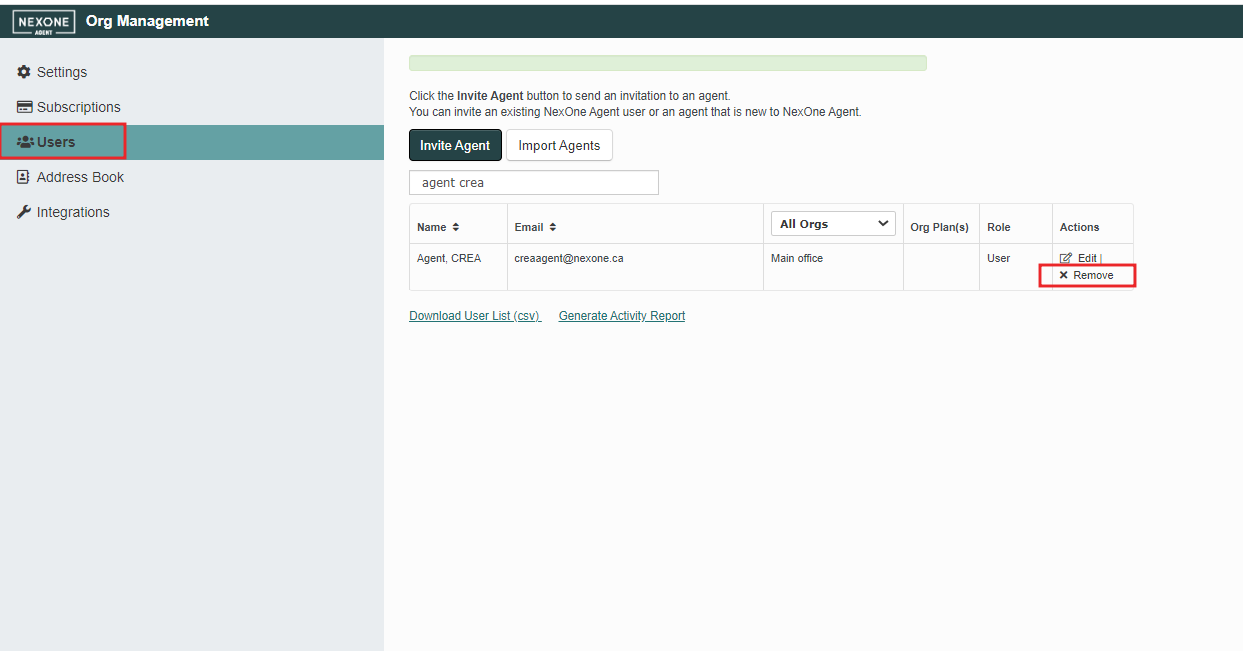
2. Enter the Users section, and under the Actions column, click the Remove button for the member you wish to remove.
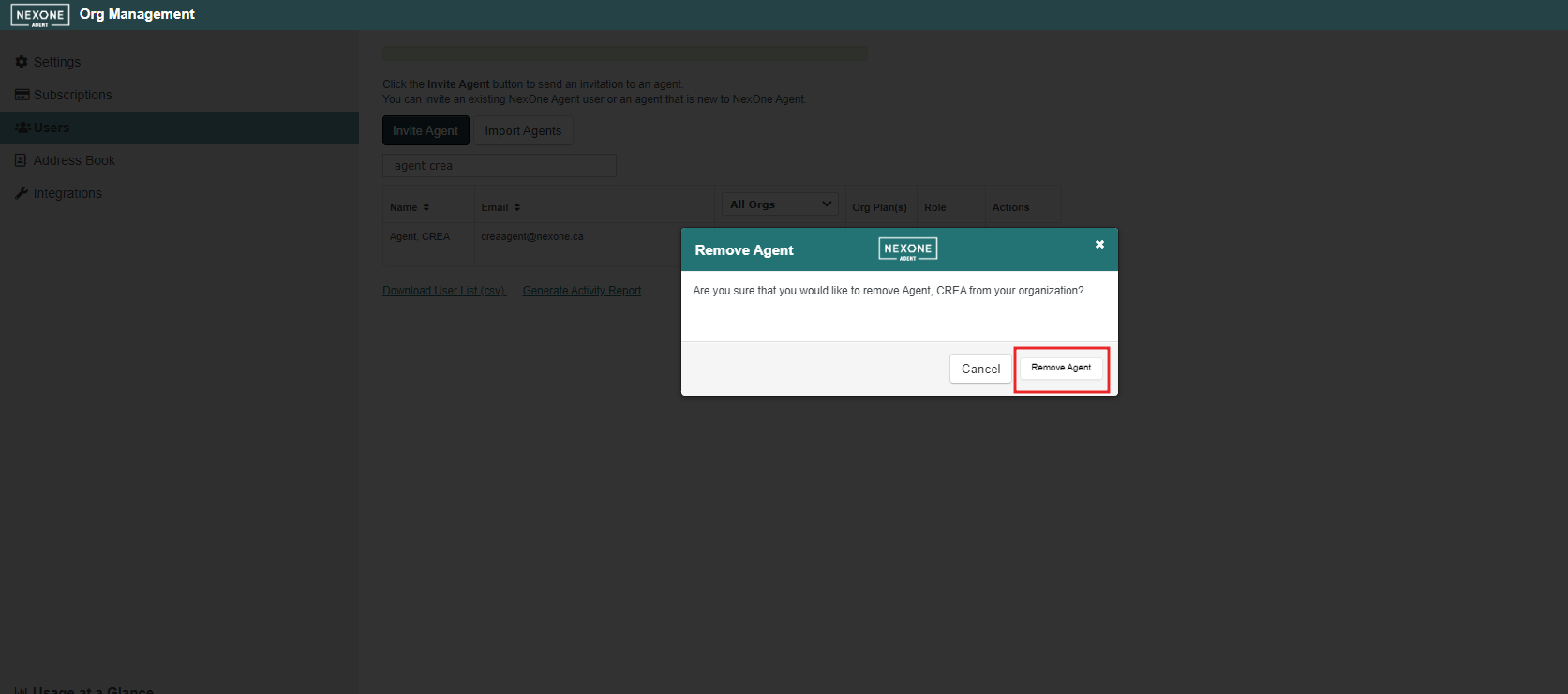
3. Confirm removal by clicking Remove Agent.
1. Expand your Account Settings and click the My Brokerage button.
2. Enter the Users section, and under the Actions column, click the Remove button for the member you wish to remove.
3. Confirm removal by clicking Remove Agent.