
AGENT NOTIFICATIONS
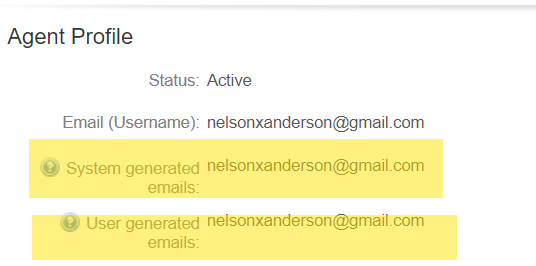
System Generated Emails:
This email will receive the following notifications:
-New listing notifications
-New transaction notifications
-Listing expiry date approaching
-Transaction closing appointment
-Listing missing required documents
-Transaction missing required documents
User Generated Emails:
This email will receive the following notifications:
-Approval/submit request notifications (if your brokerage set you up to include you in this process
-Sending documents by email and follow up messages will be sent using this email address
-Transaction condition due date approaching
-Transaction task due date approaching
EMPLOYEE NOTIFICATIONS
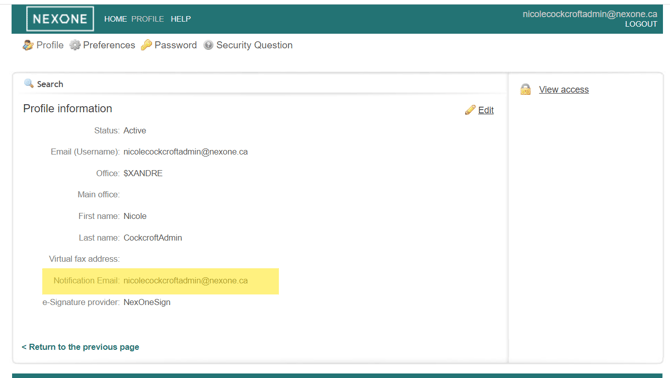
This email is used as the Reply-To email for all Follow-up Messages sent out from your Profile.
If you leave this email blank, the emails will show that they are sent from the email found in the HUB/Branch Account profile:
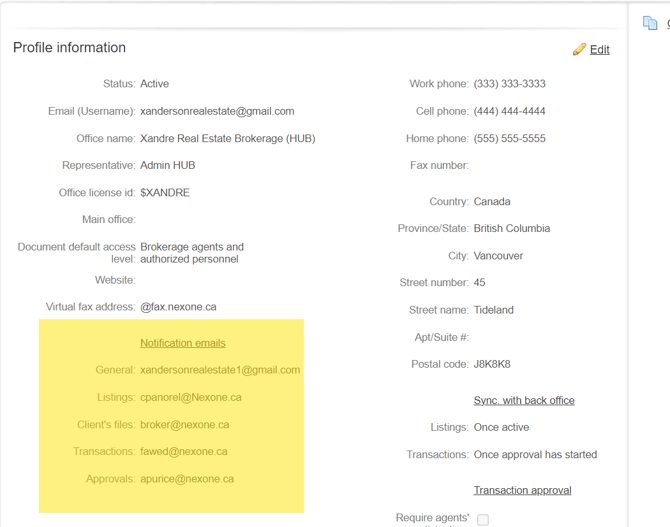
For example…if you are in a transaction and you are notifying the agent of missing paperwork, the email will send from the email entered in the Transaction email shown in the above picture.