
Different transactions types are available in NexOne Agent. See the steps below to use them:
-
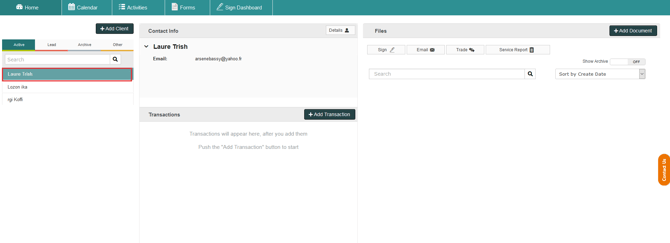
Select the client folder for which you want to create the transaction
-
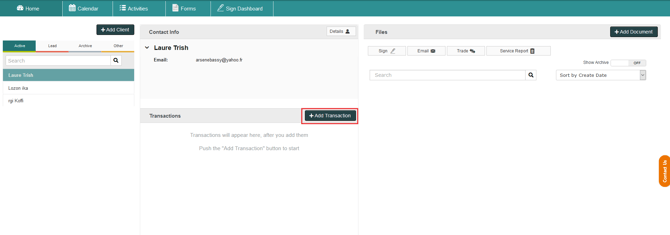
Click on Add Transaction
-
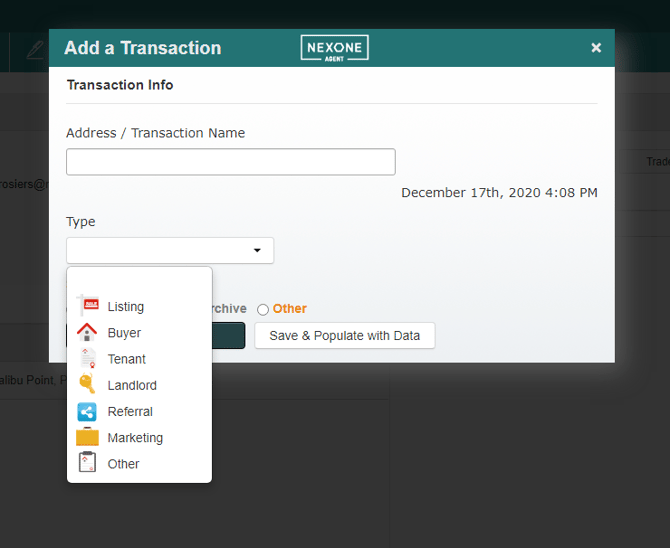
Fill out the Address / Transaction Name field and click on Type to open the transaction type drop down menu and choose the correct type:
-
Listing: A transaction where you are representing a property being sold.
-
Buyer: A transaction where you are representing the buyer of a property.
-
Tenant: A transaction where you are representing the person that will start renting a property.
-
Landlord: A transaction where you are representing a property to be leased by a tenant.
-
Referral: A transaction where you are acting as a referral for the transaction on the property (buying, selling or leasing).
-
Marketing: A promotional transaction about a property you are trying to sell.
-
Other: for any other transactions' type not included in the list.