
In this section, you will be able to create directories, add documents, which are not necessarily related to a listing or transaction report records.
EDM & Signatures > My Documents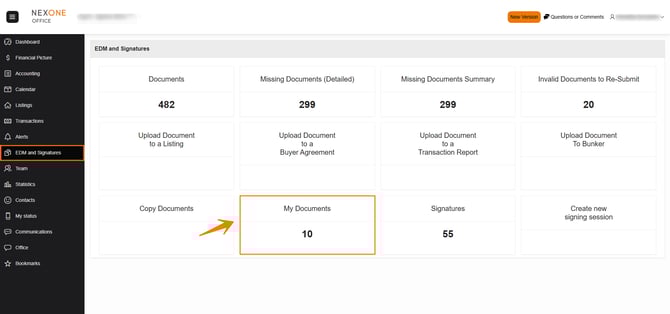
To create a new folder, click Add New Folder.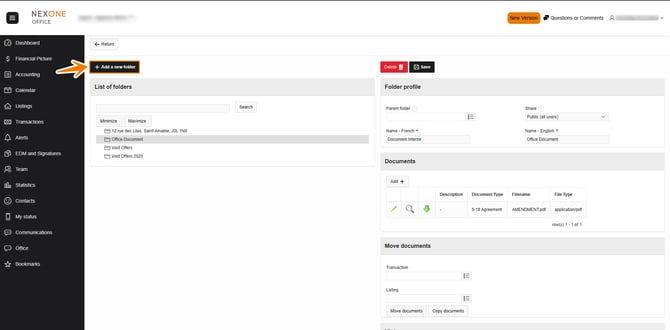
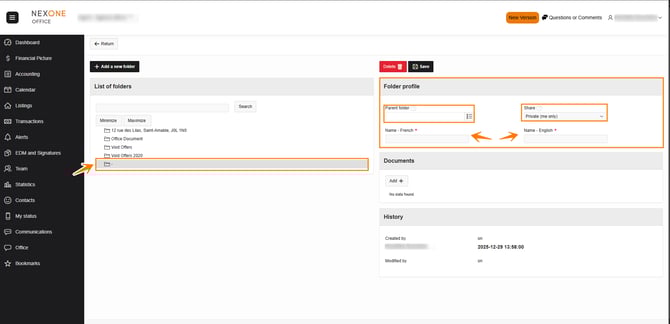
A new folder is added to the bottom of your list. Add the parent folder, choose the share type of that folder. By adding a name in English and French you will identify your folder in your list.
Add the necessary documents, and click save
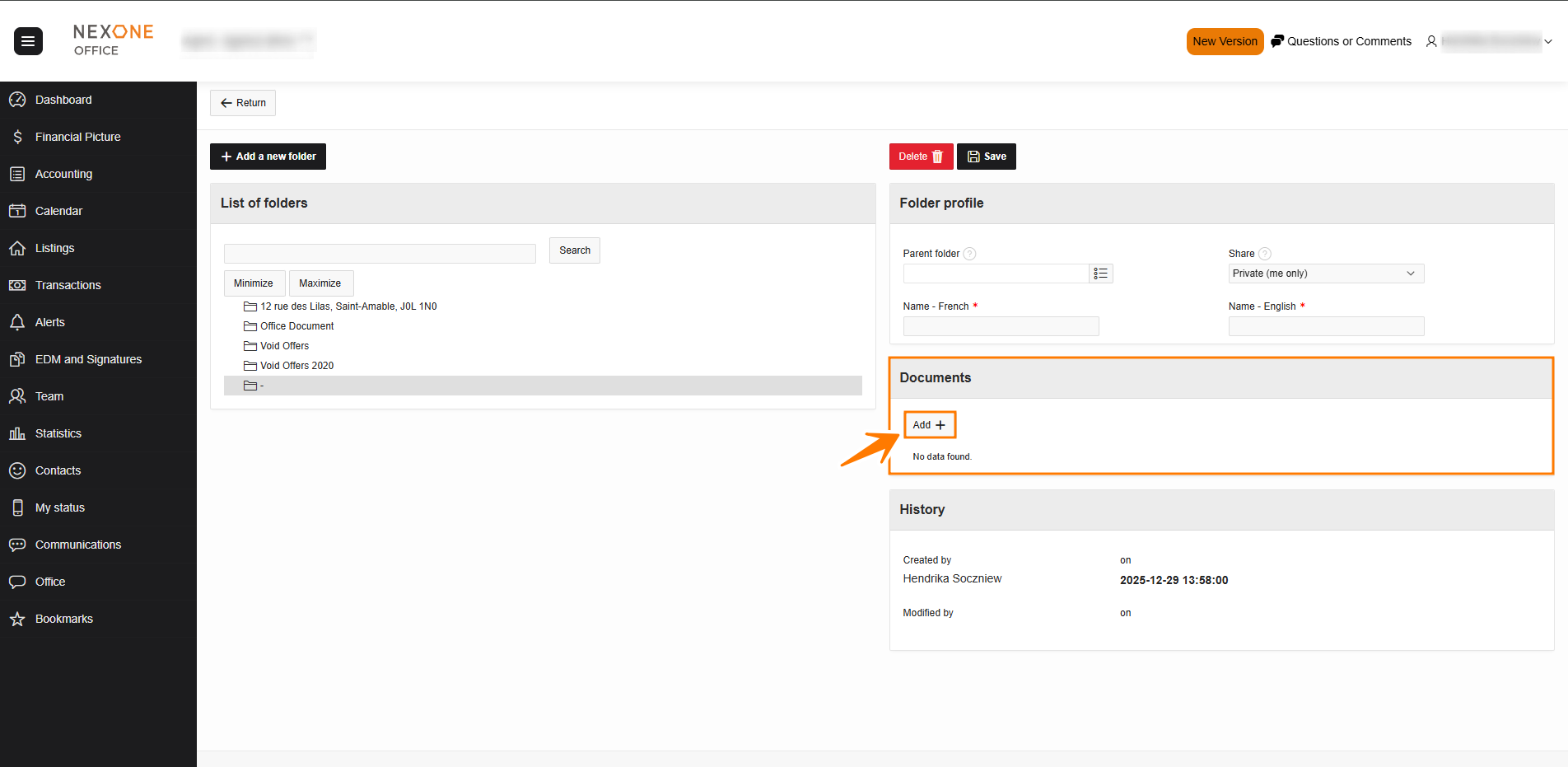
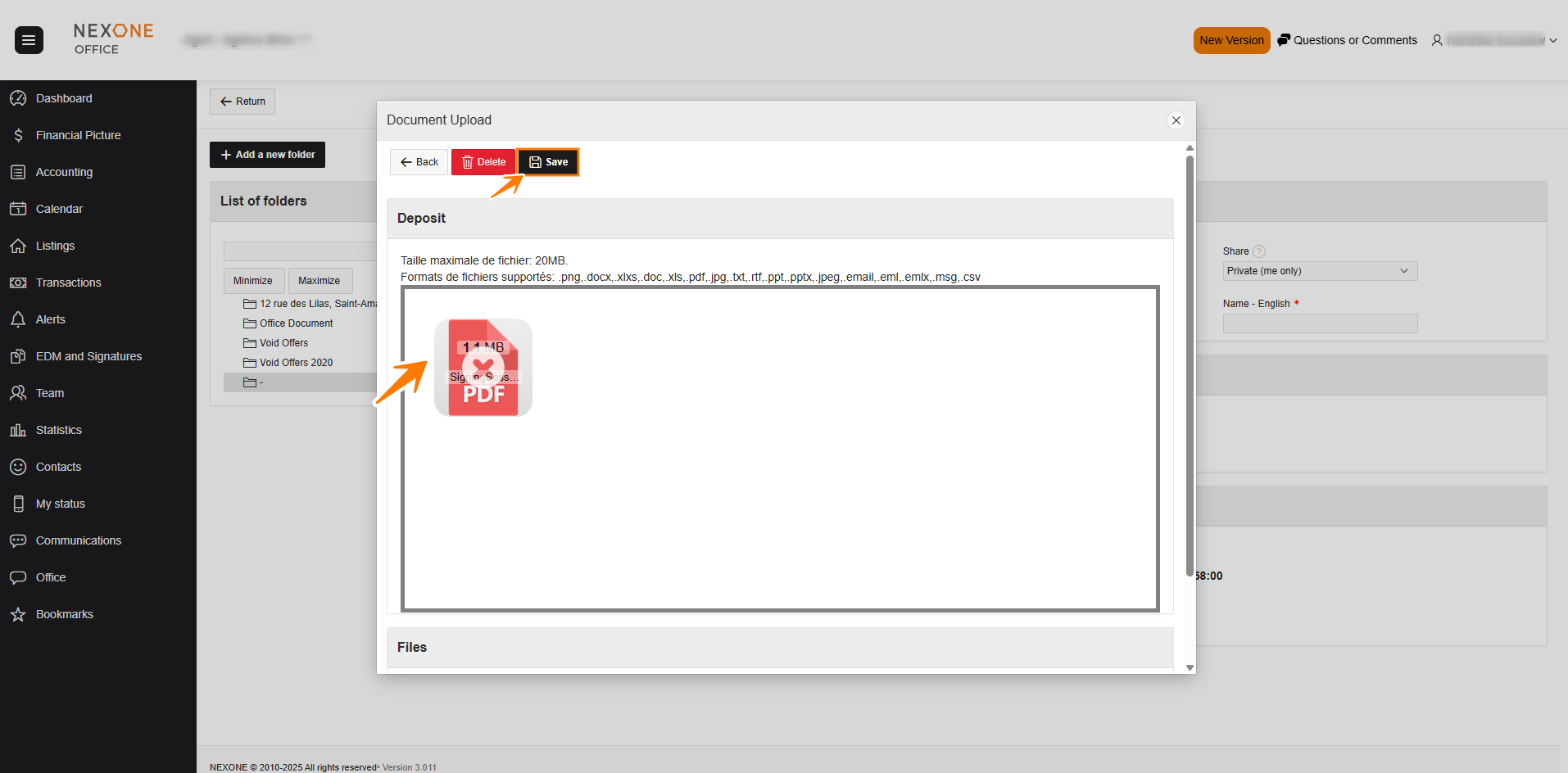
The folder will then be available on the left side: 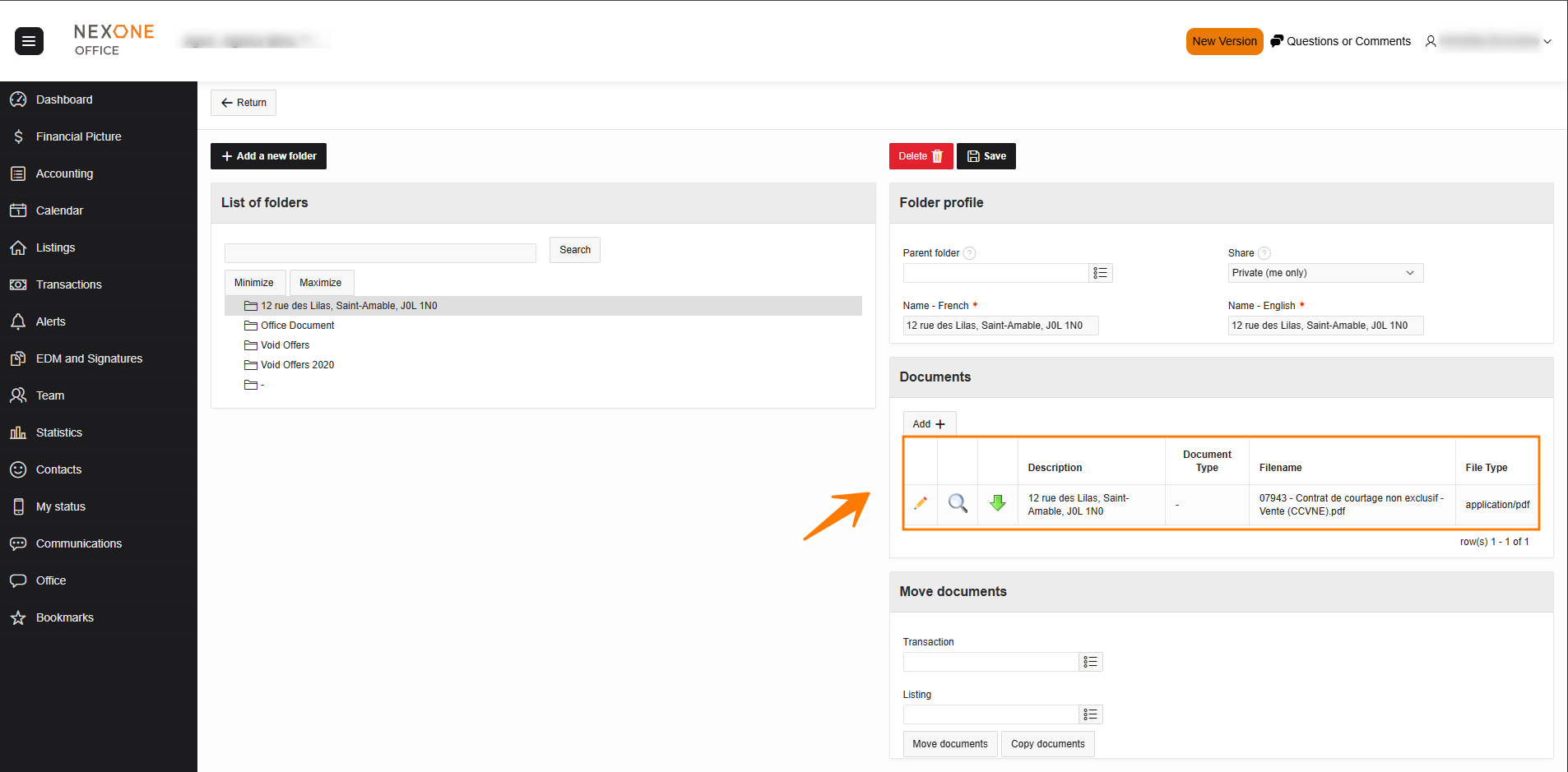
You are able at any time to modify the folder, delete it, and modify the documents.
Completed!