
When sending signing sessions to your clients there is a prompt for your clients to share their location. But now you can manually disable this option in just a few simple steps.
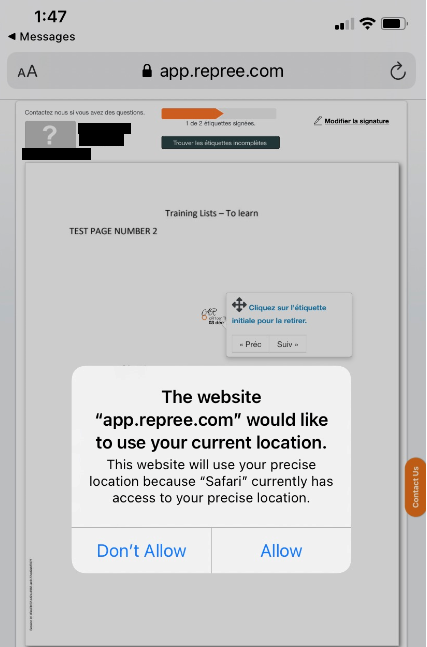
Each NexOne Agent user can choose to disable their location sharing in NexOne Sign.
This configuration is applied to all signing sessions. If there is a specific session that needs a location, make sure to re-enable this function.
-
Sign in to your NexOne Agent account
-
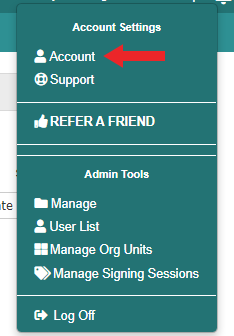
Open the drop-down menu of your name and click on “Account”
3. Open the “Account” tab

4. Click on the box to “Disable Location Sharing in NexOne Sign”
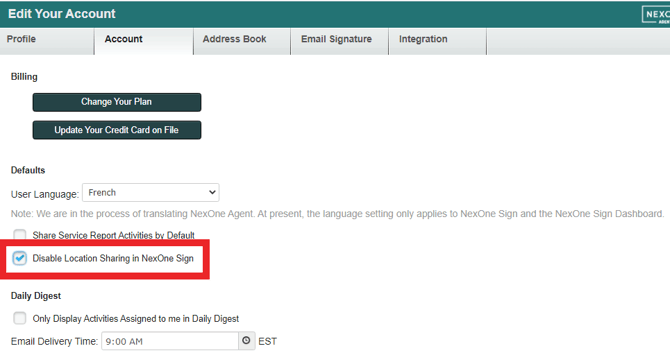
An automatic save has been activated.