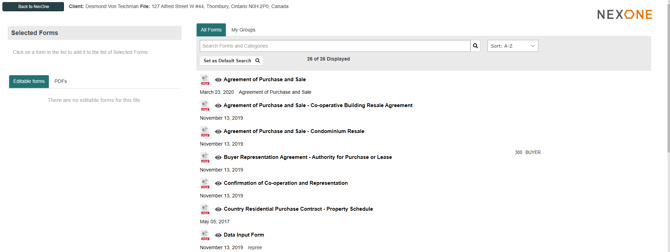
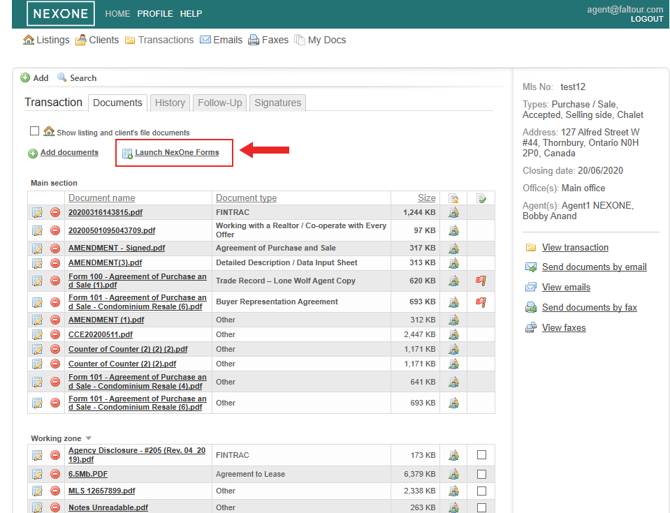
Please note that the following steps apply to all files: Listings, Transactions and Client’s Files. In the example below, we will be using a Transaction as an example.
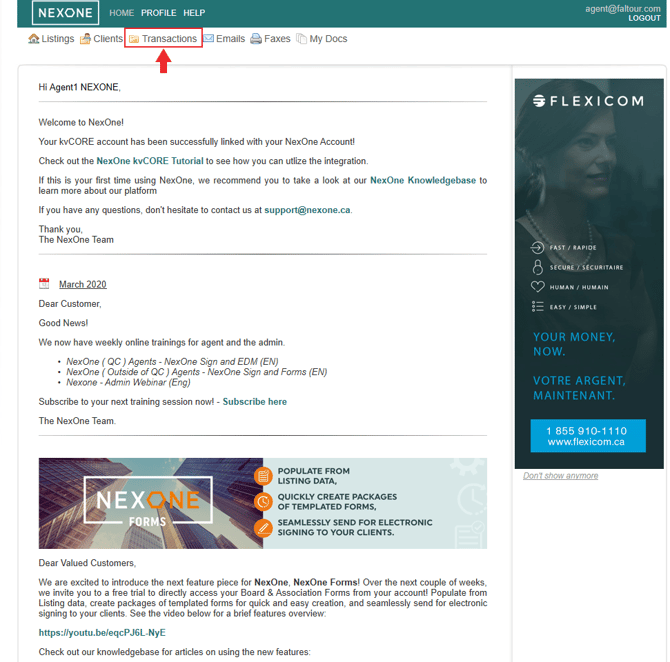
1. After logging into your NexOne account, Select the Transaction tab
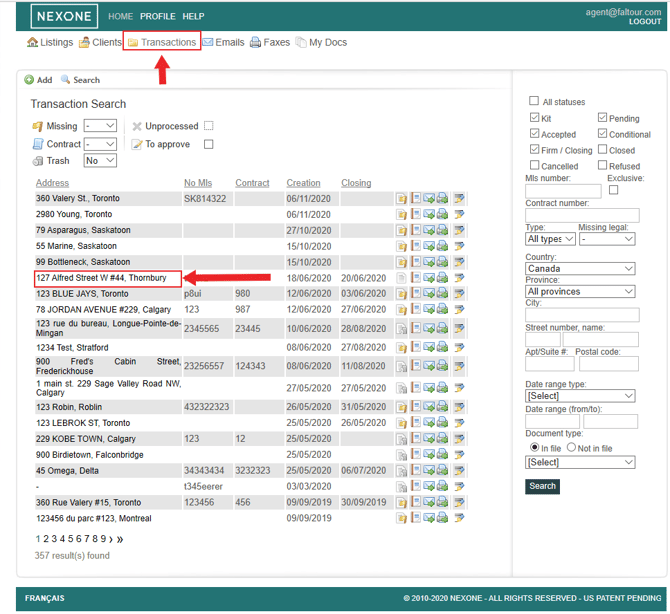
2. Click on the Transaction address that you want to add forms to
3. Go to the Document section located to the right of the Transaction profile
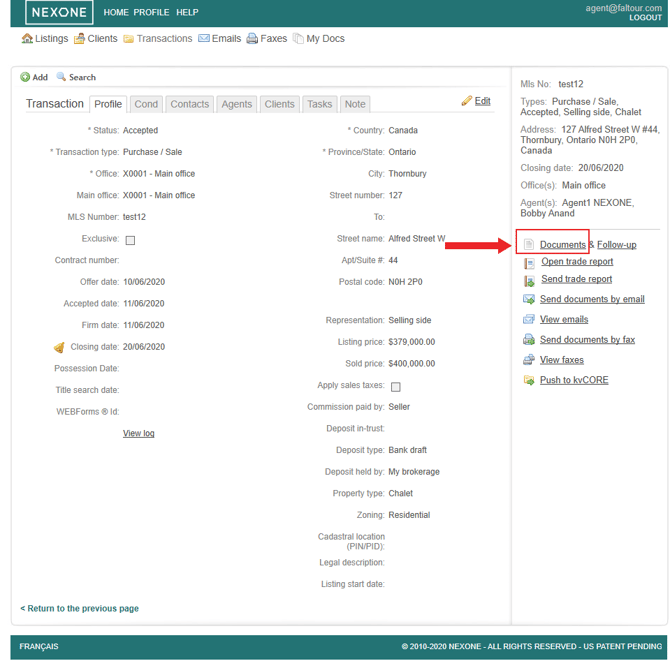
4. Select the Launch NexOne Forms option
5. You are now in the Forms Section!!