
Applying a Label
-
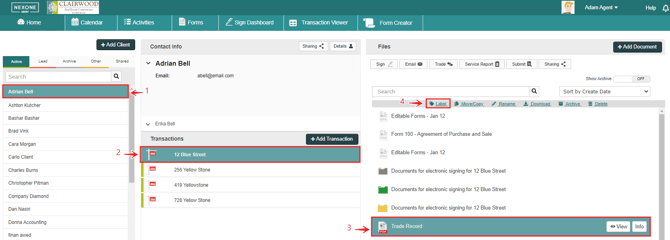
Pick your Client.
-
Select Your Transaction.
-
Select the file or files.
-
Click on “Label”.
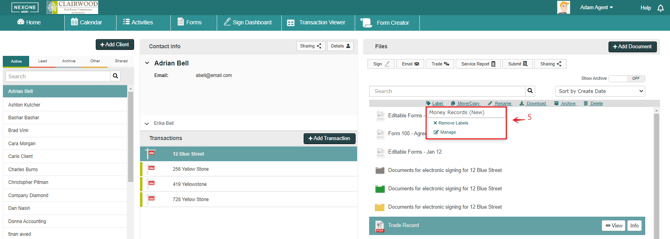
5. Type the label name if you wish to add a new label.

6. Press Enter and now you are able to see the Label.
Removing Labels

-
Pick your Client.
-
Select Your Transaction.
-
Select the file or files.
-
Click on “Label”.
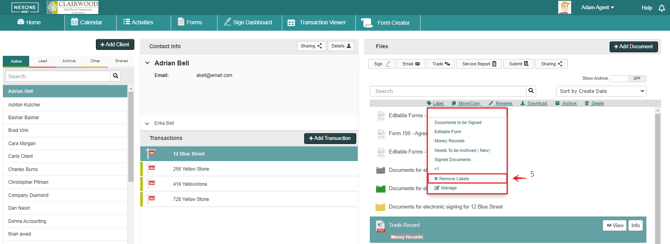
5. Click on “Remove Labels”.
Deleting Labels

-
Pick your Client.
-
Select Your Transaction.
-
Select the file or files.
-
Click on “Label”.
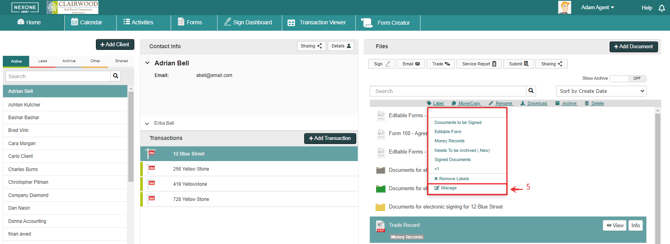
5. Click on “Manage”.
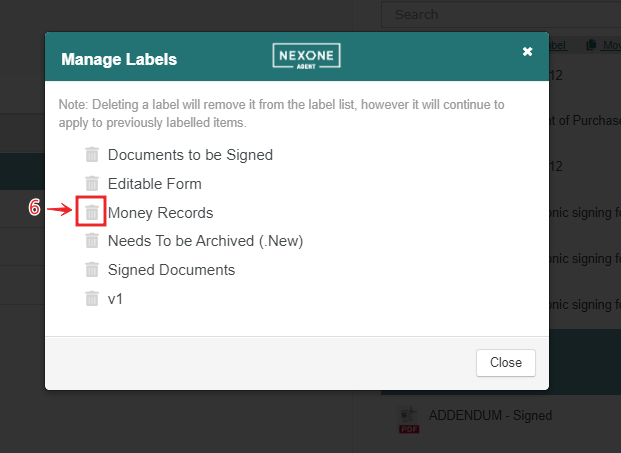
6. Click on the trash icon next to the label name to delete.
Deleting a label will remove it from the label list, however, it will continue to apply to previously labelled items.