
With GoEmail, users can enhance efficiency and simplify file management seamlessly. It allows clients and NexOne Legend users to directly upload files to a designated files within our platform.
How it works
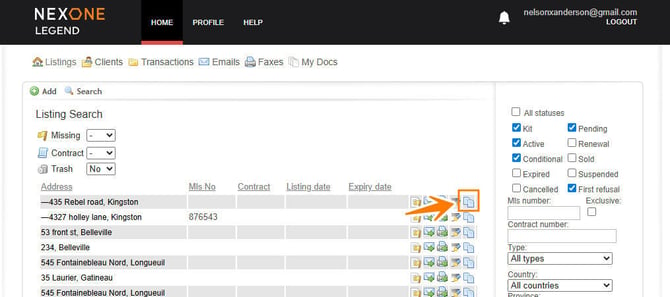
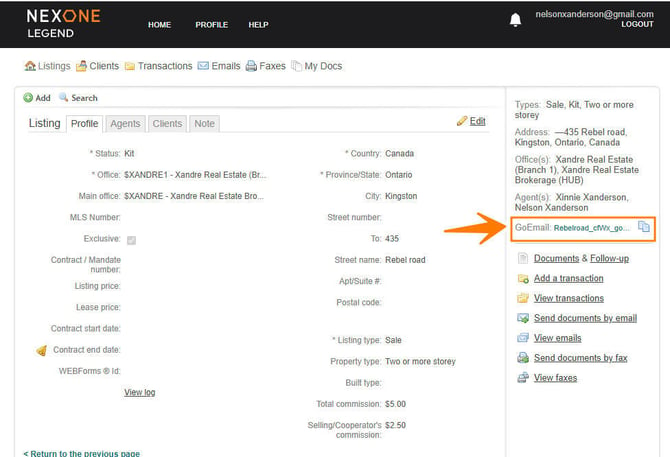
Copy the GoEmail ID associated to the listing, client or transaction files you want to send documents to
- From the home page:
2.From inside the file:
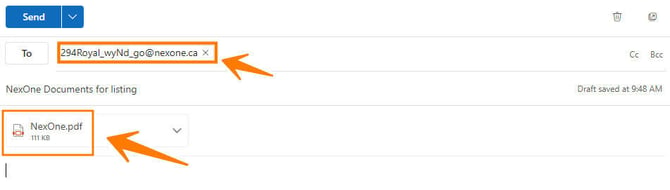
To send the documents
Paste that GoEmail ID in the address box (you can also forward an existing email to that GoEmail ID)
IMPORTANT
GoEmail only support these formats: PDF, TXT, ZIP, JPG, JPEG, DOC, DOCX, XLS, or XLSX.
GoEmail Notifications
The sender receives an email notifying them whether the delivery was successful, partially successful, or failed.
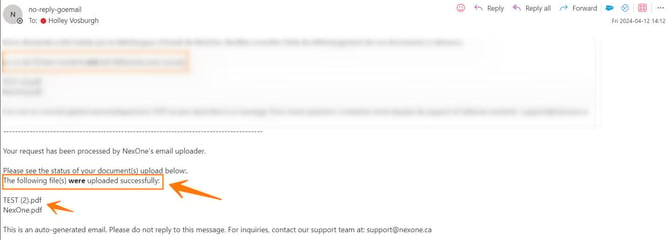
In NexOne a notification will appear on the notification bell.
For listing and client files, only the agent will receive a notification.
For transactions, only admin will receive the notification.
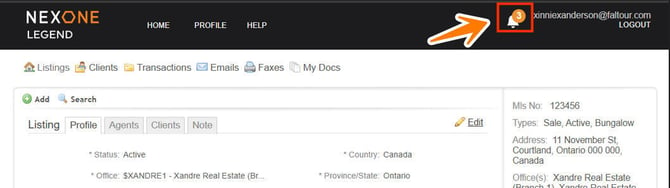
To activate or remove notifications:
Administrators: Notifications are managed by the brokerage in the employee’s profile.
Agents: Manage notifications in the Notification Bell settings.
Follow-up
Each email sent via the GoEmail ID creates a record in the Follow-up section, where email content can be reviewed.
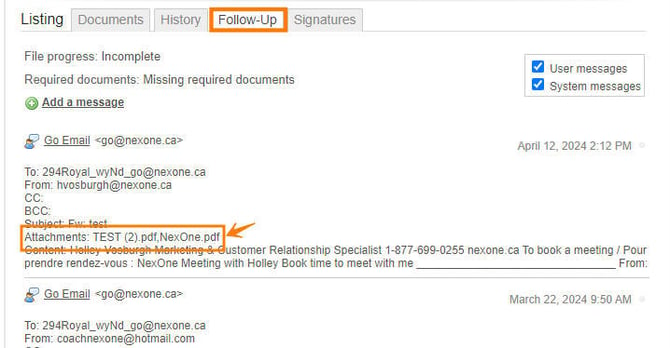
Document types
Please be advised that the default document type will be GoEmail.
Editing a document type
- Select the edit button
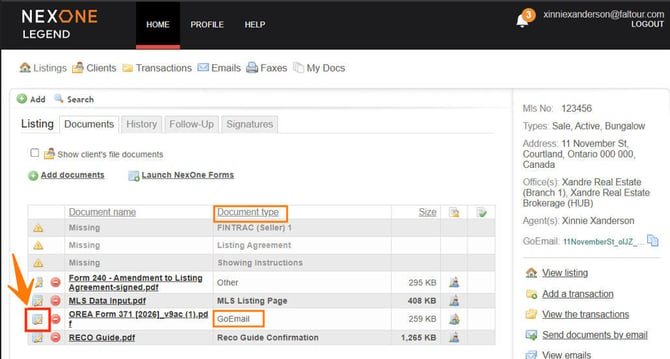
2. Use drop down menu to choose the correct type and save
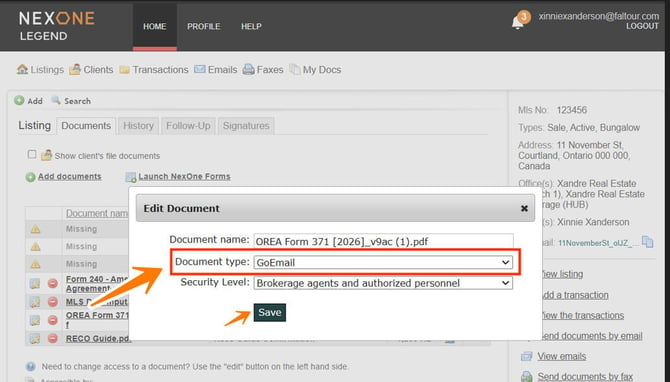
Security Level sharing type
- Transactions: only administrators will receive notifications, and sharing will be limited to brokerage staff only.
- Listing and Client files: notifications are sent only to the responsible agent(s), and sharing will be limited to the involved agent and office personnel.