
Adding a Form to Your Group of forms
-
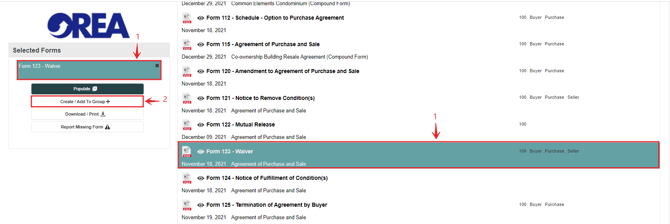
Select the form.
-
Click Create/ Add To Group.
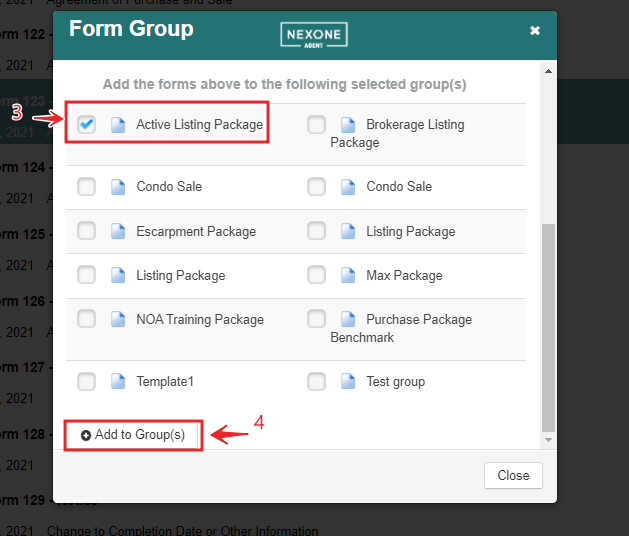
3. Select the Group you want to add the form to.
4. Click Add.
You have successfully added this form to your group.
Removing a Form from Your Group
-
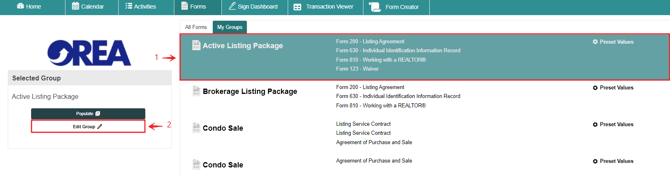
Select the Group of Forms.
-
Click Edit Group.
.
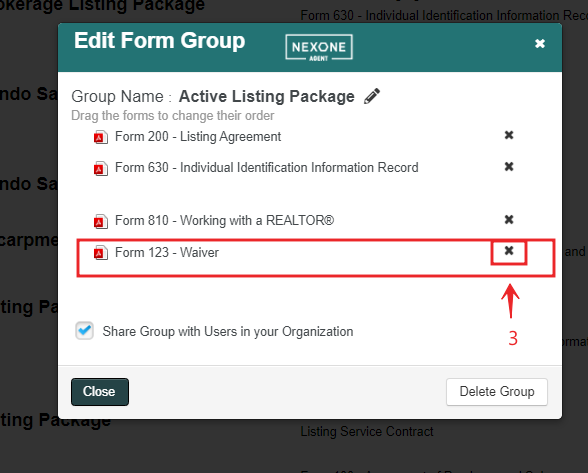
3. Click the (x) to remove the form from the Form group.
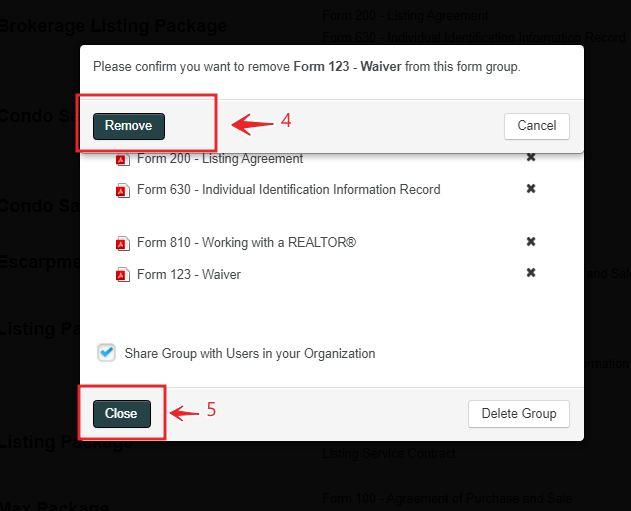
4. Confirm removal of the form by clicking "Remove" on the displayed window.
5. Hit "Close" to close window.