
If you forget to enter your board-assigned MLS number when creating a listing, the board’s data won’t merge with your listing and will instead create a duplicate profile.
If your documents are already uploaded in the listing’s EDM, you can copy them to the active listing.
If your documents are already uploaded in the listing’s EDM, you can copy them to the active listing.
Open EDM and Signatures on the left menu and select “Copy Documents”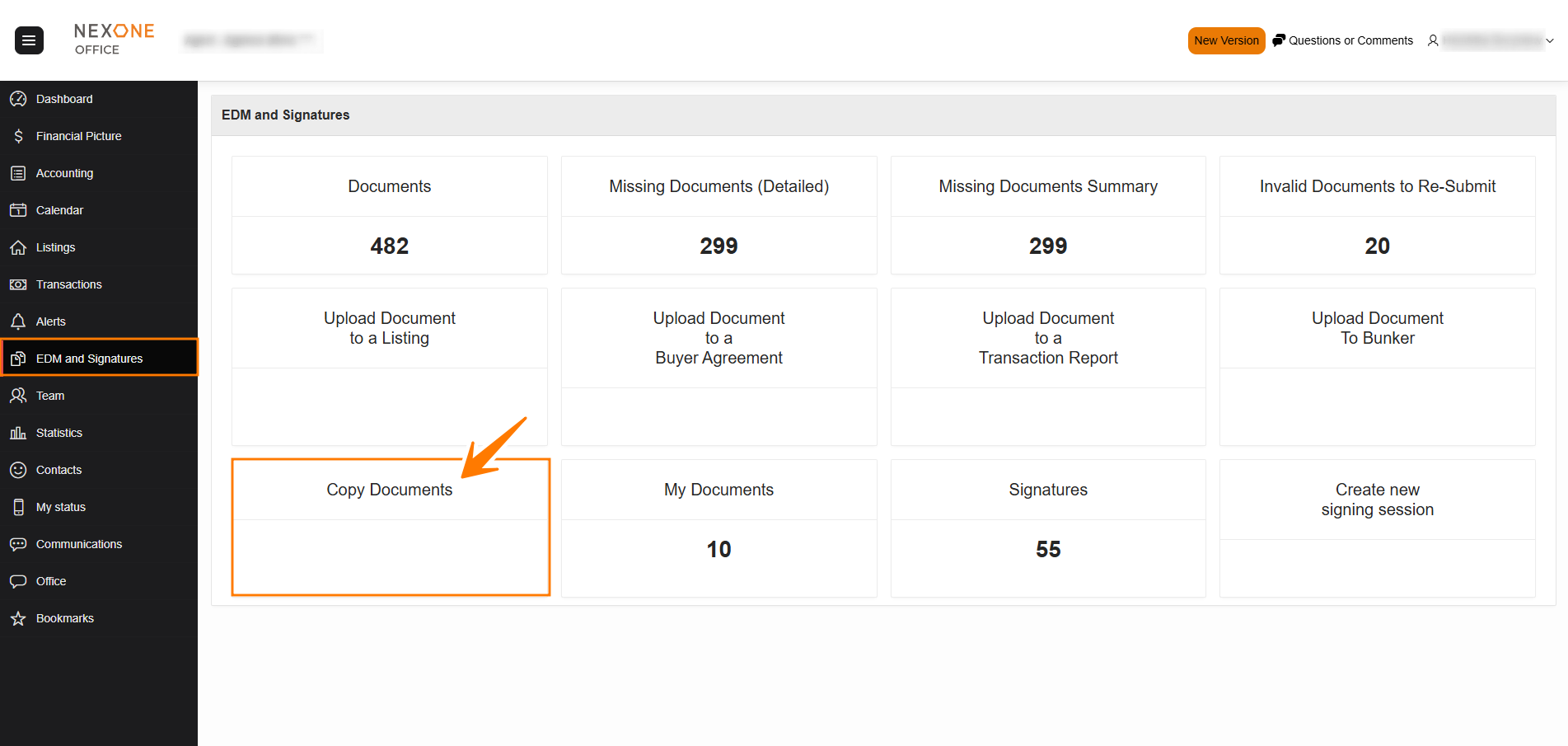
Select the Folder Source (where the documents are located)
Select a Folder Destination (where the documents will be moved)
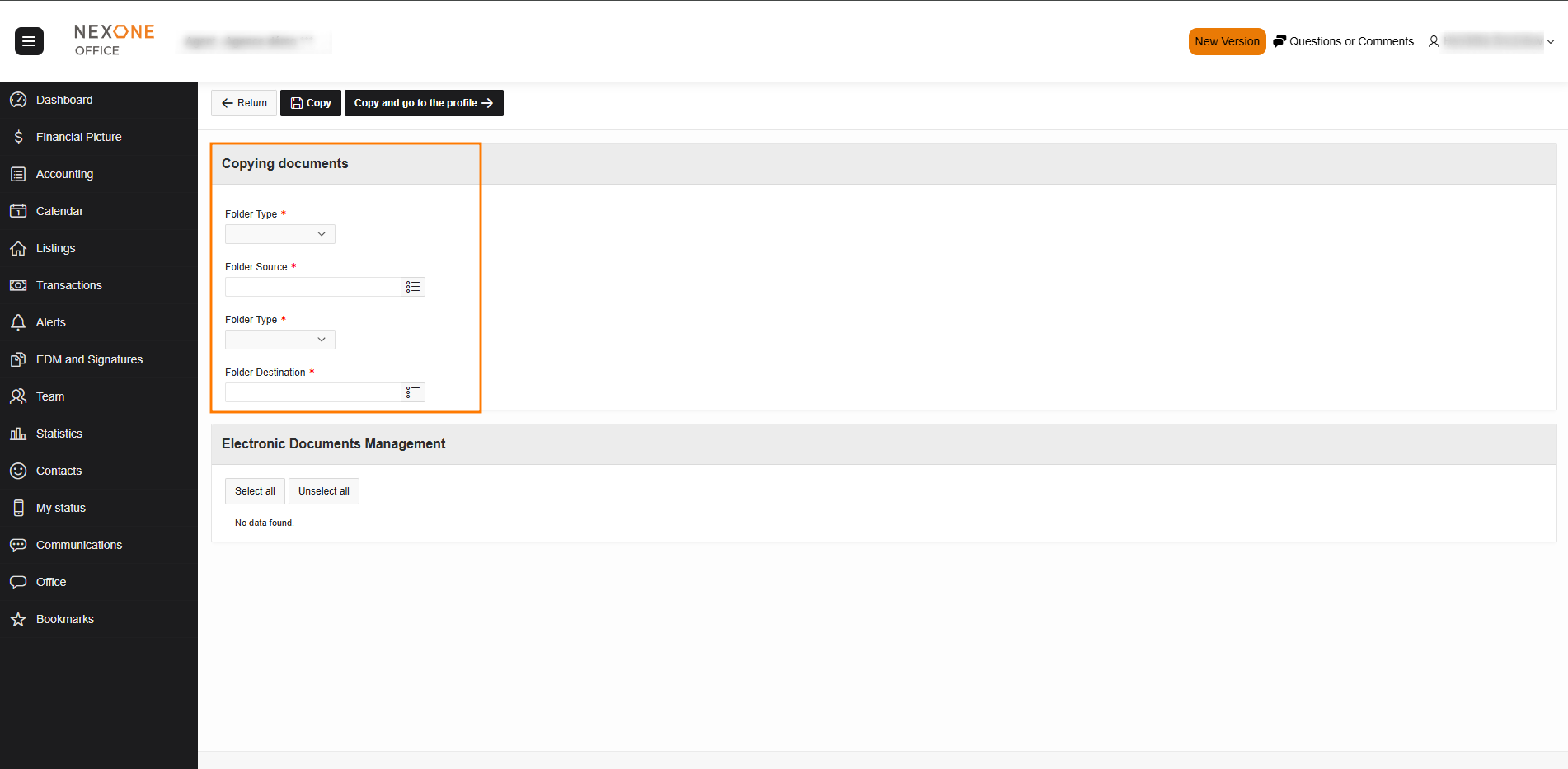
“Select all” or individually select the documents you would like to transfer.
Once your selection has been made, select “Copy” or “Copy and go to the profile”.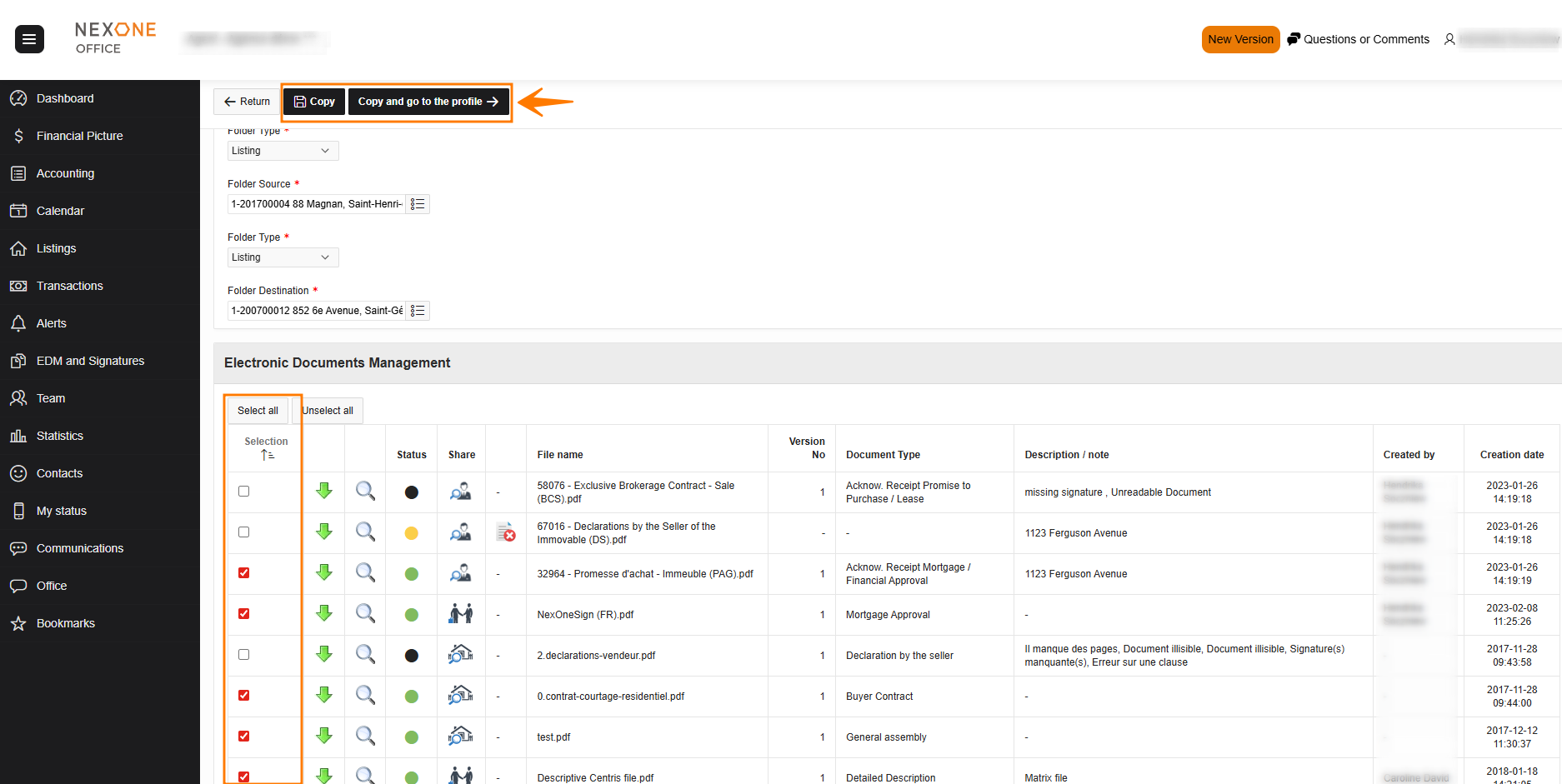
-
Copy simply copies the documents into the listing recipient
-
Copy and go to the profile opens the destination profile and further changes can be made.
Please be advised that this option is only available for listings that have been made active. You can’t transfer documents from listing kits to an active listing.
Completed!