
-
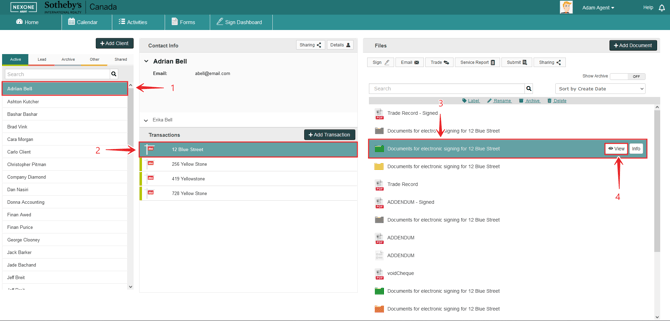
In your NexOne Agent account, select your Client
-
Pick your Transaction
-
Click on your signing session
-
Press on View to modify/edit your signing session.
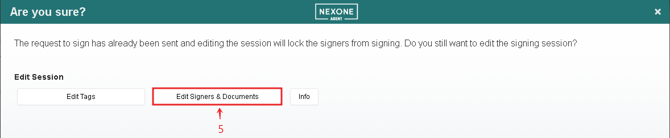
5. Click on “ Edit Signers & Documents”
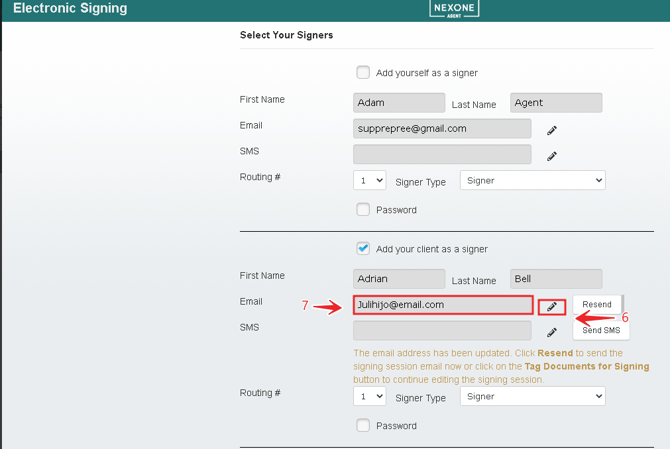
6. Click on the edit pencil
7. Change to the correct E mail address
Now you can resend your document.