
Once your buyer agreement is created you can change the status to Active (submitted to admin)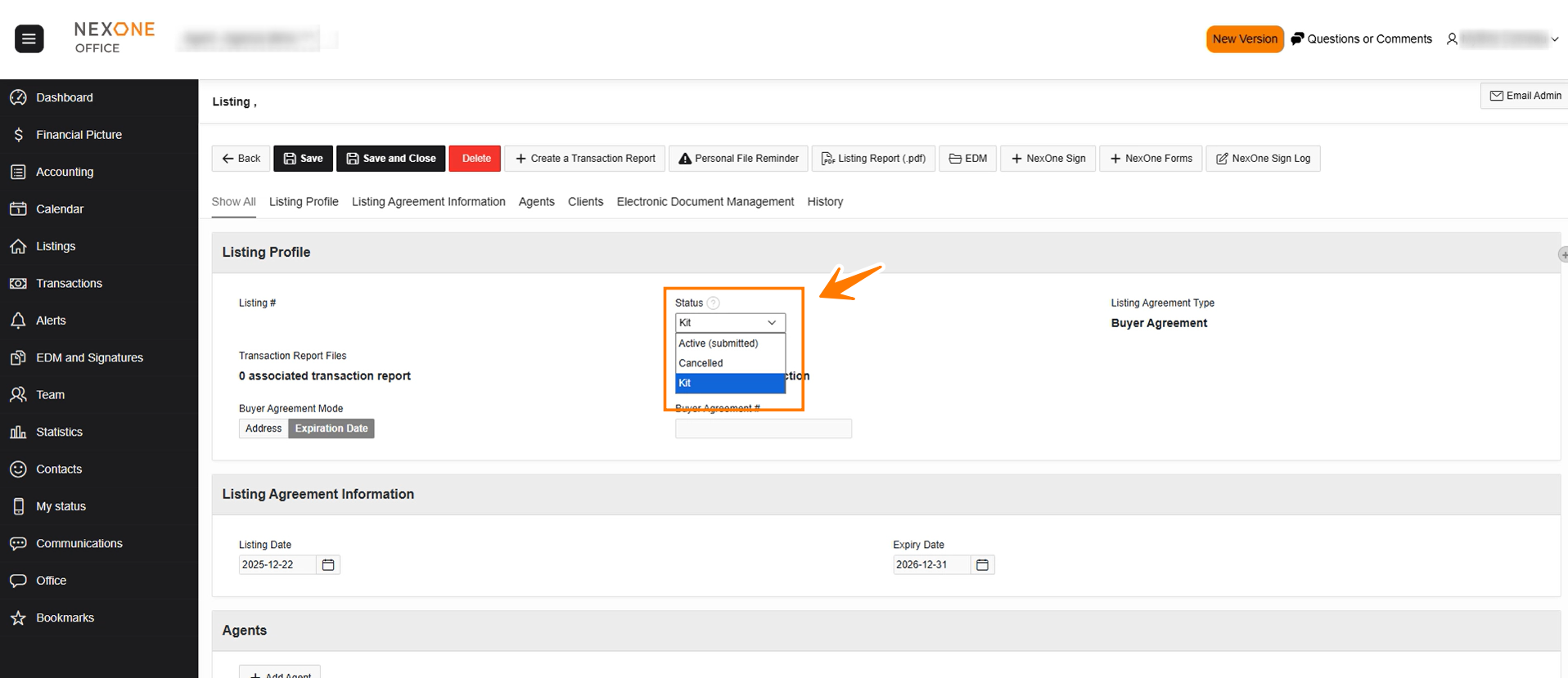
And select SAVE or SAVE AND CLOSE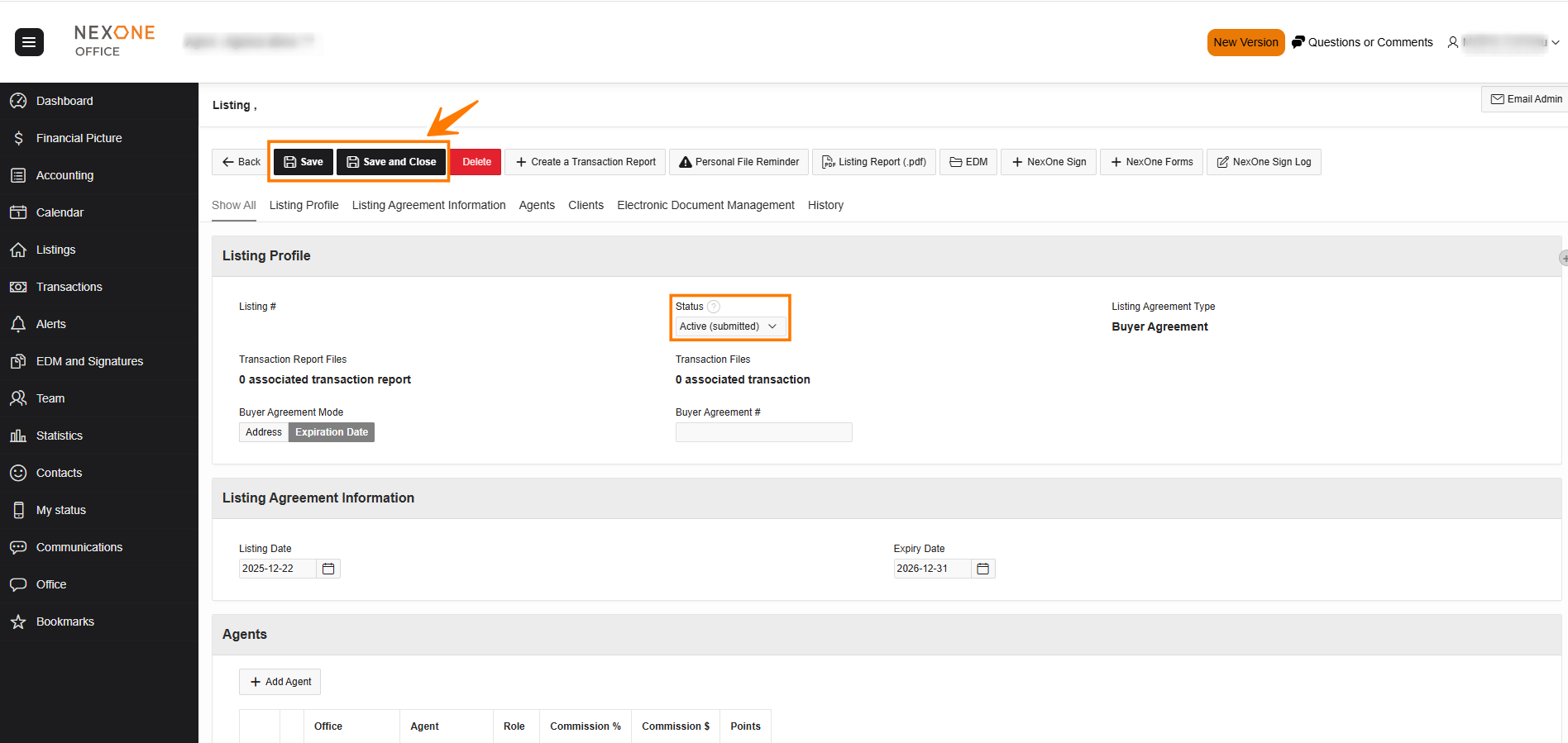
The admin will now have access to the new buyer agreement listing. Once created on their end, it will return in the listing file > Buyer Agreement 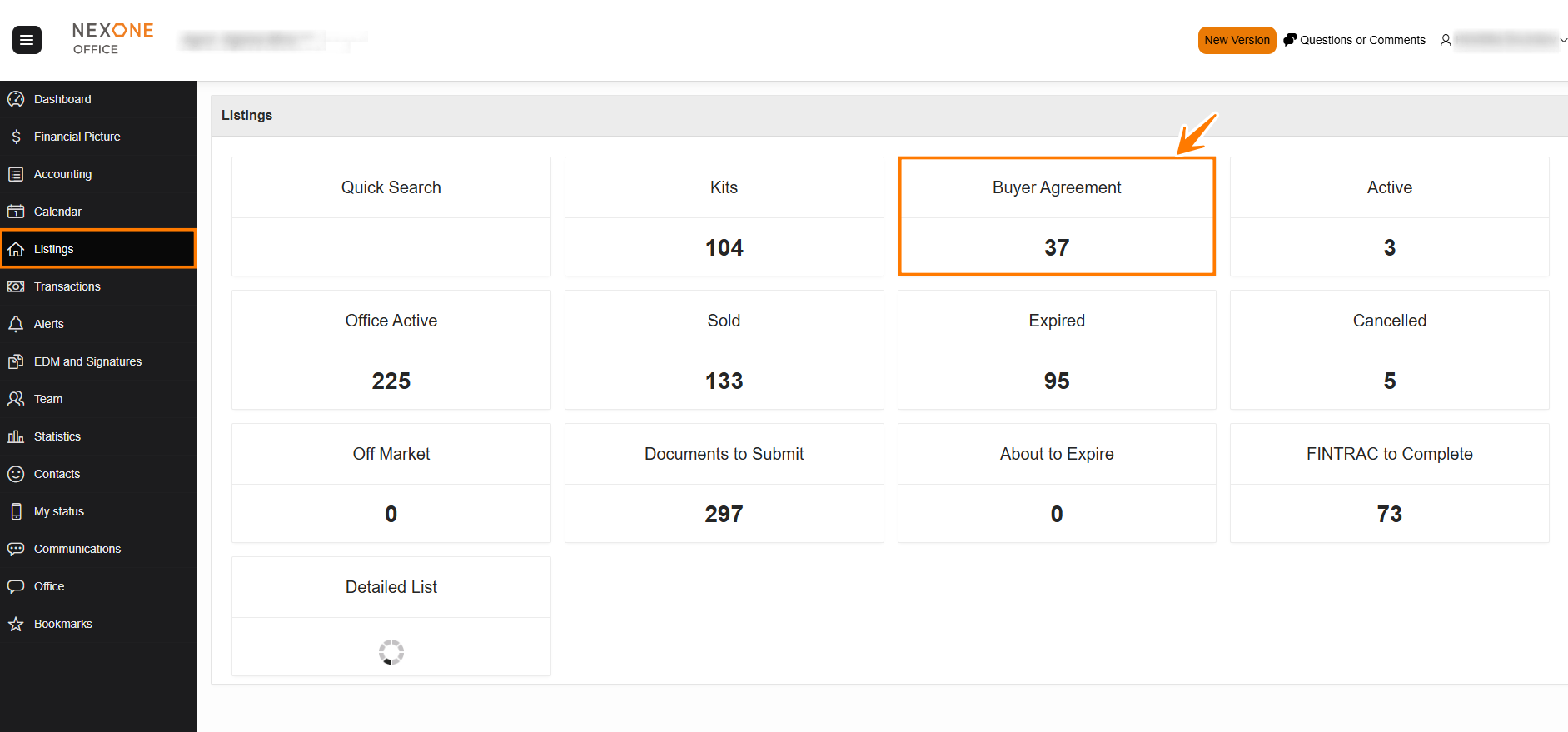
with an ACTIVE status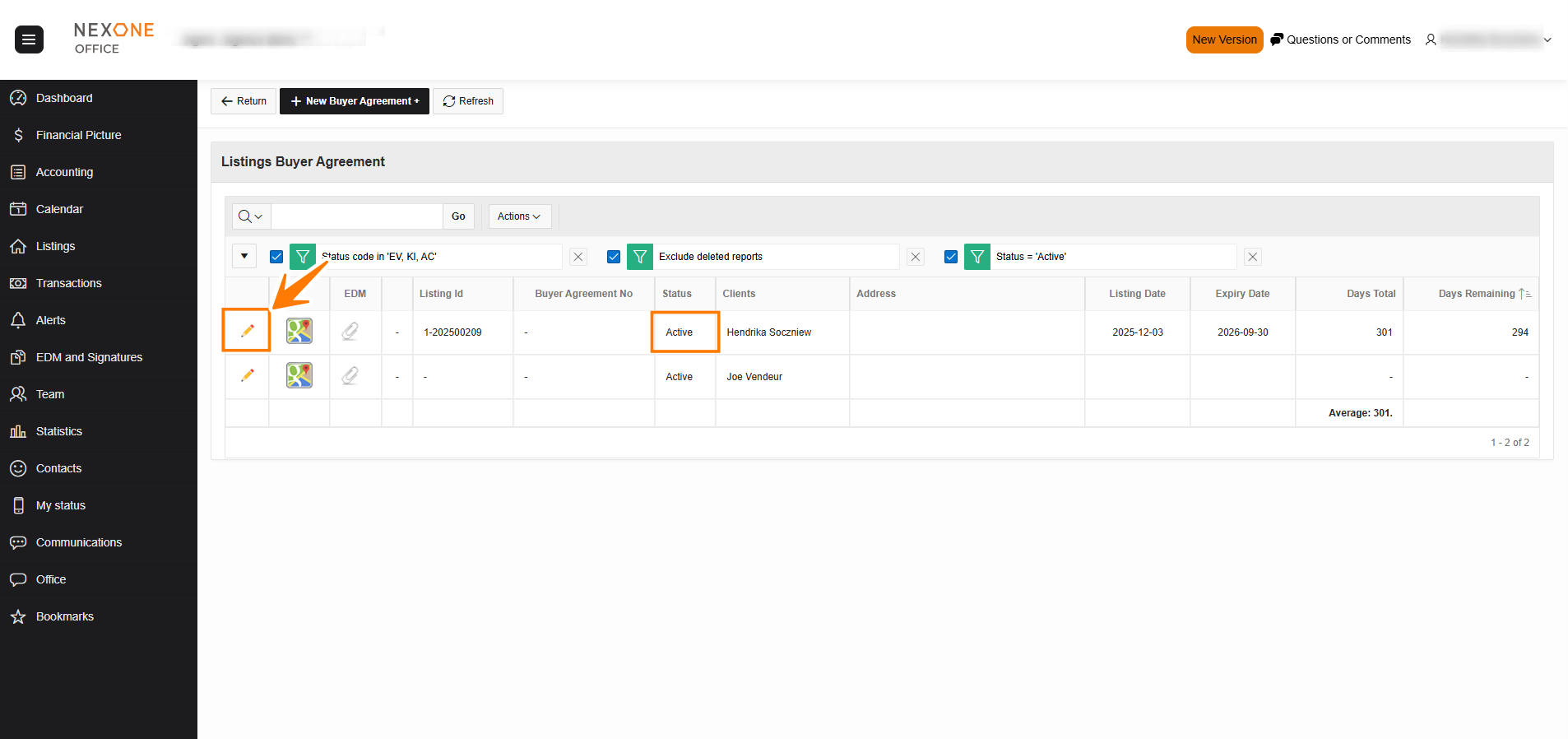
Select the hyperlink of the status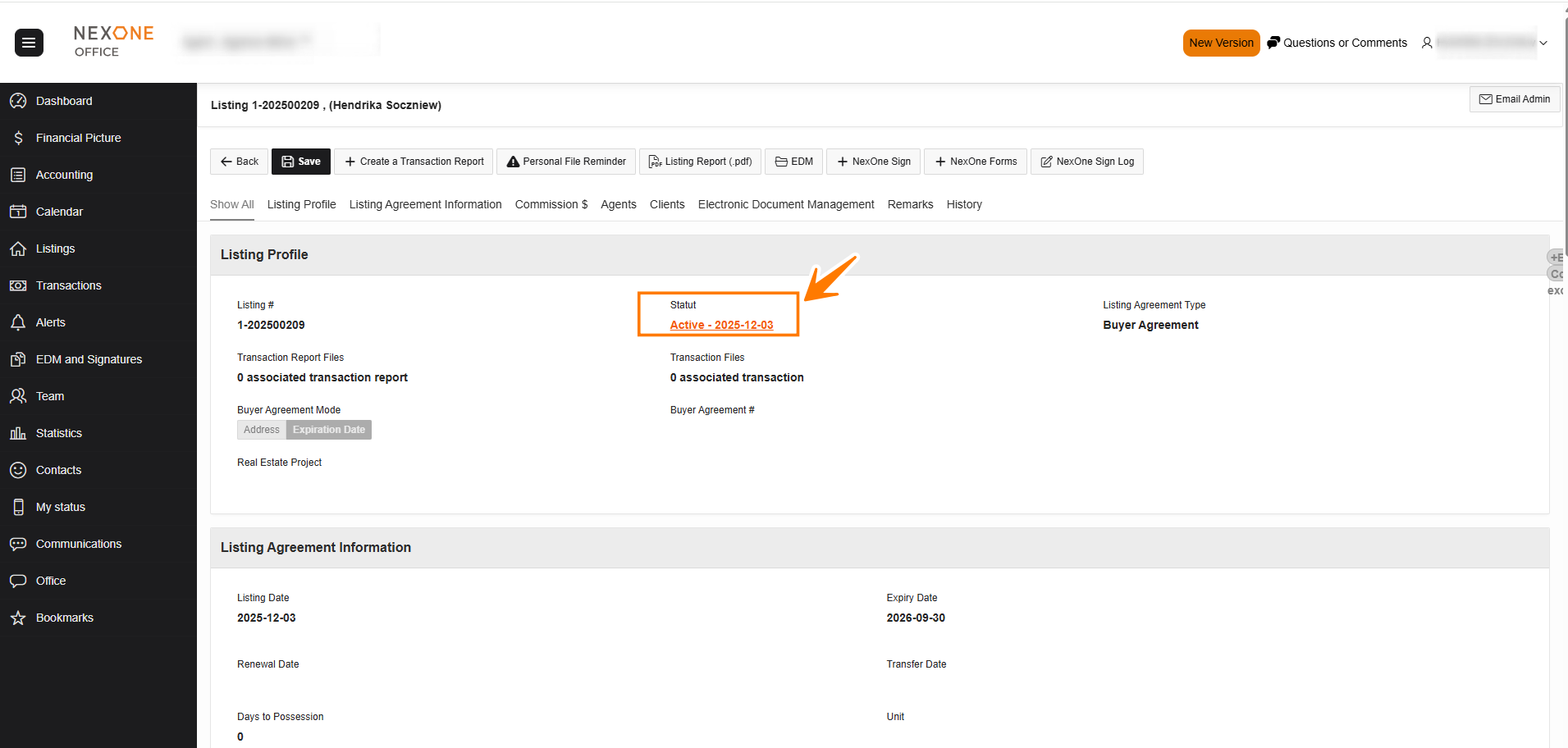
Select FINALIZE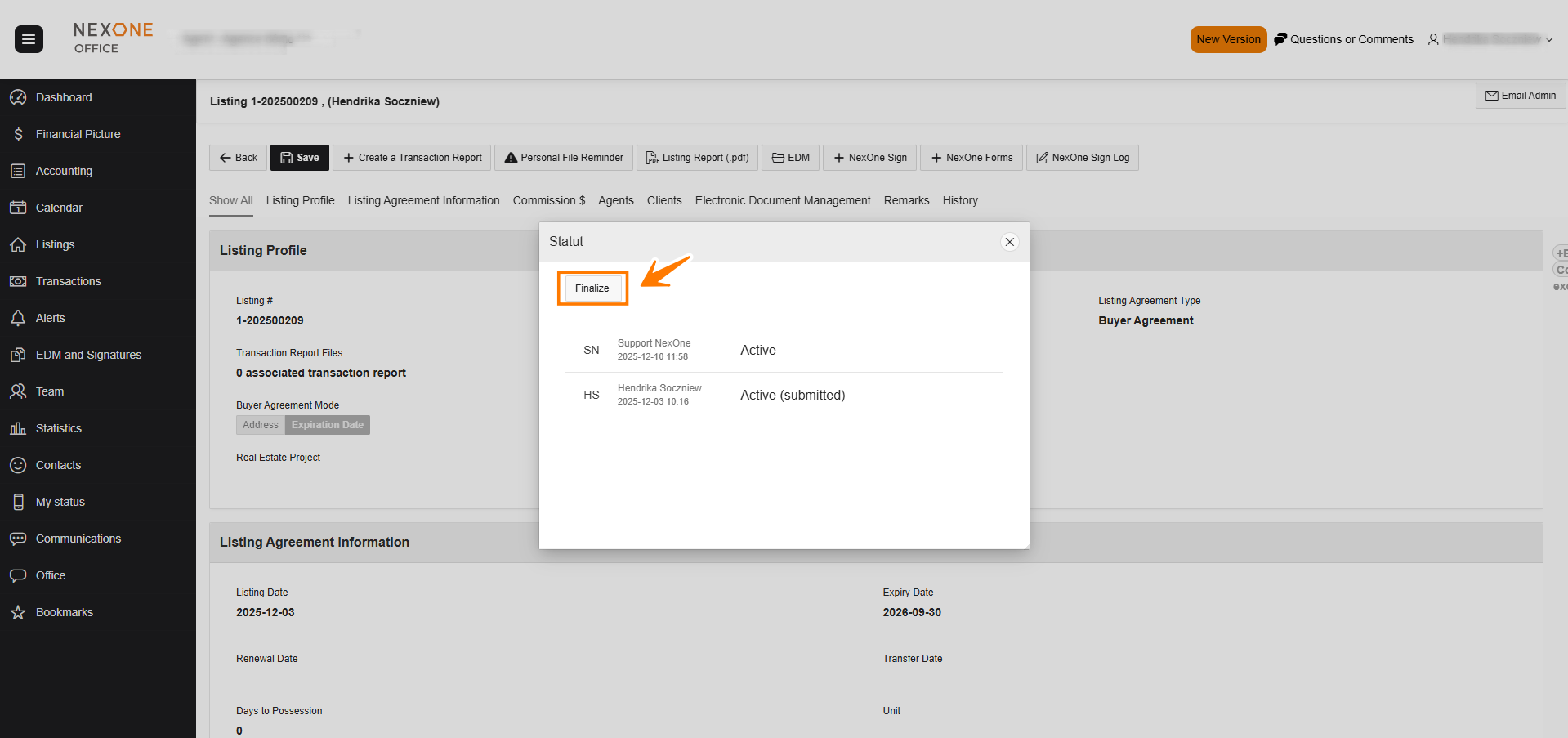
The status is now changed to FINALIZED (SUBMITTED TO THE ADMIN)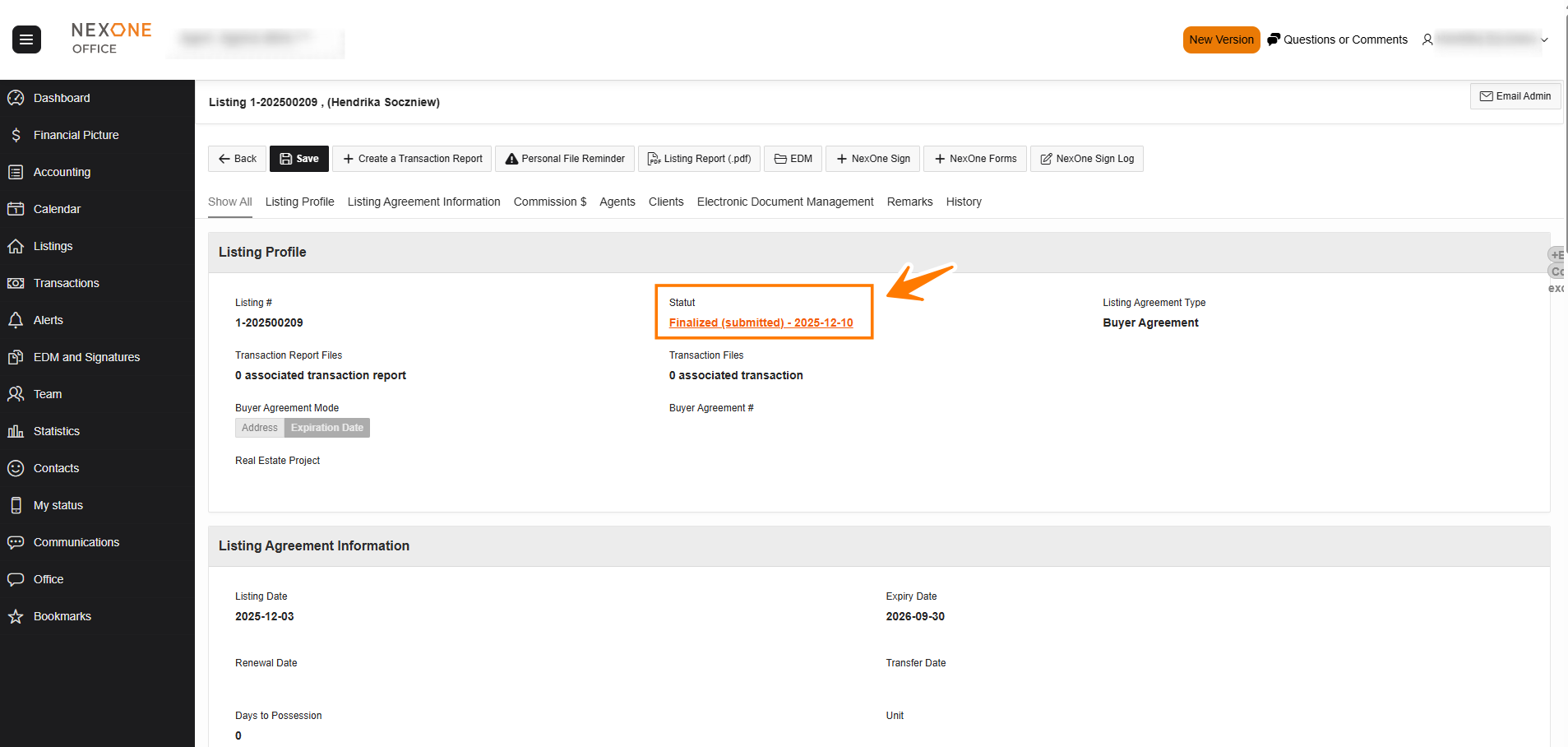
Completed!