
Your Brokerage may assist busy or less tech-savvy agents by creating their files. Follow the instructions below to help them get started as an Admin!
Instructions
-
Create the Client, then Transaction to build the Agent’s file
-
Upload necessary Documents
-
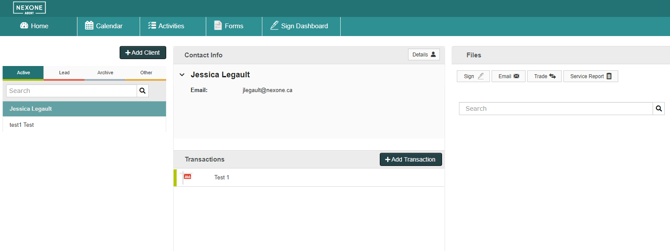
Click on the Details in the Contact Info section
-
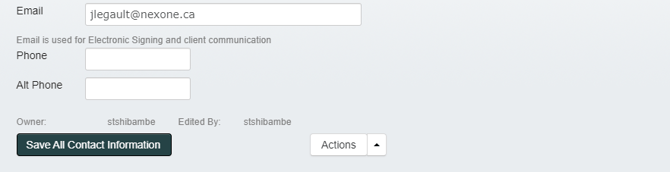
At the bottom left drop down list, change ownership of client to Agent. Then click “Save All Contact Information”
-
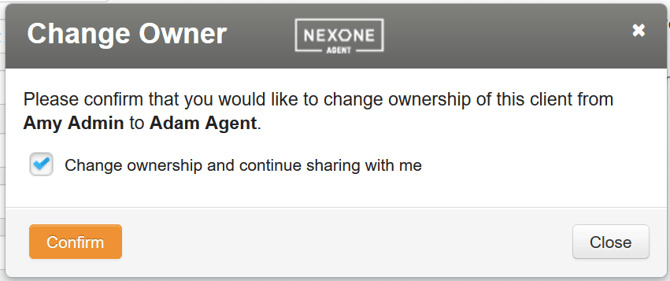
You can choose to keep the client shared with you by leaving the check box “Change ownership and continue sharing with me”, otherwise UN-check to lose visibility.
As an Admin, you are able add Activity Plans, Fill out Trade Record, and submit Activities on behalf of agents.
Stop Sharing an Agent’s Client/Transaction file
You may have changed ownership and maintained sharing. Follow the instructions below to remove visibility to the agent’s file.
-
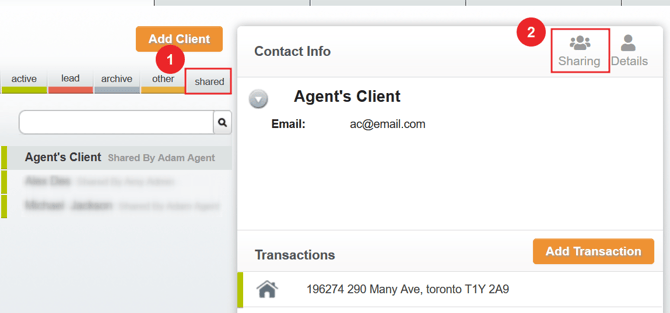
Click into the Shared folder, open the agent file, and then click Sharing
-
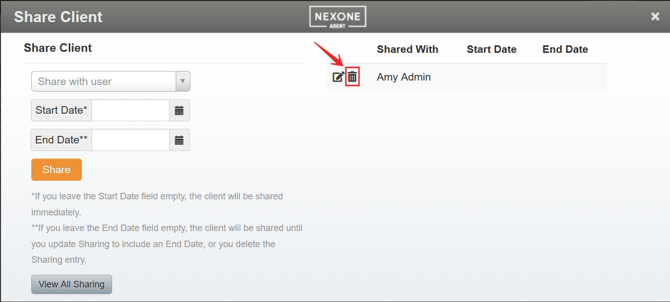
Click on the trash icon to remove the shared Client
-
Refresh your page!