
This function highlights important information and presents it in an organized way for the agent. In addition, the agents can create their own “to-do list”, with the dates and people involved.
Go to the Alerts tab in the left navigation panel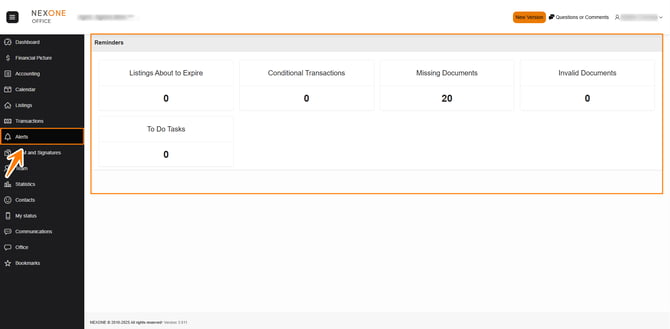
Listings about to expire will show here a few days before the expiry date
Conditional Transactions shows transactions with conditions that have not been realized
Missing Documents displays all files where mandatory documents are missing
Invalid Documents displays documents that have been refused by the office.
To do Tasks this section shows personal tasks you created for yourself
For each option, you can click on the link to open the files in question.
For example, you could click the missing documents reminders.
- Select the transaction report that you want to add documents to.
- Add you documents.
- Save the documents.
- Click save and close the file, notice the missing documents as now changed.
Completed!