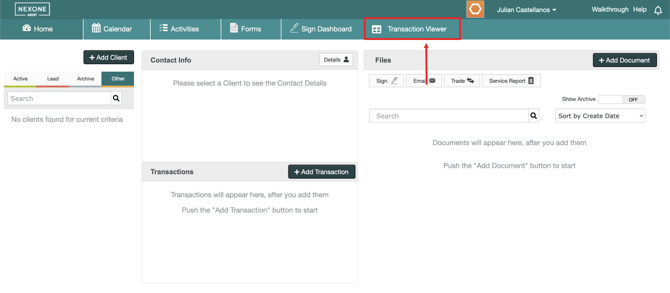
There are some submission features that are reserved for Transaction Managers only. In order to access these features, the first step is to go directly to the Transaction Manager section.
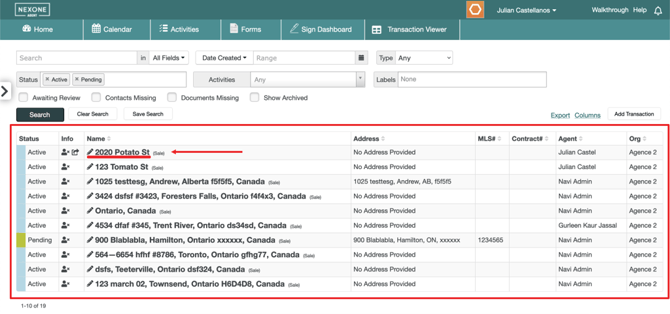
A list of submissions will be made available to you from which you can select any transaction.
The trade record for the transaction selected will open up. To view the activities that have been submitted, click on the “Activities“ section.
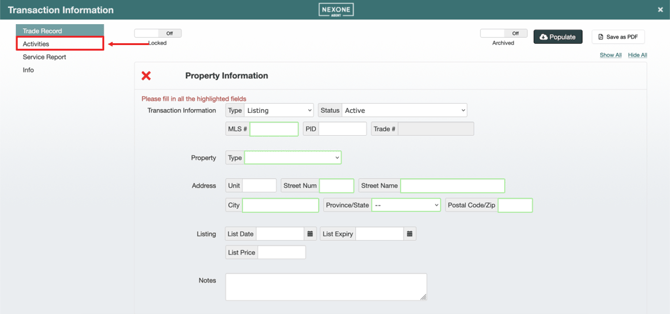
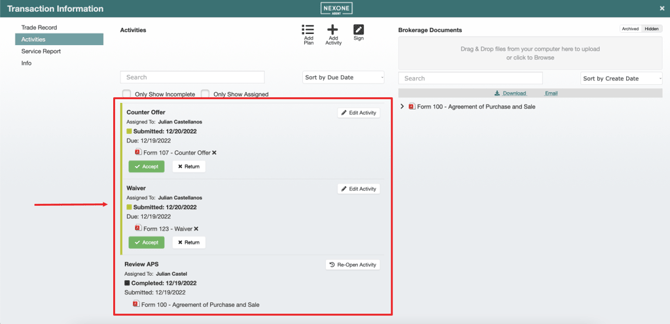
All the activities submitted by that realtor for that transaction will appear listed in that section.
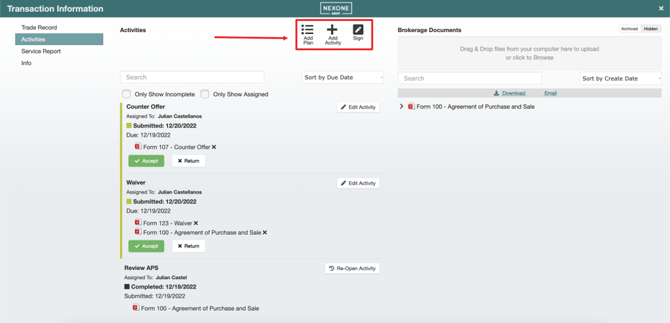
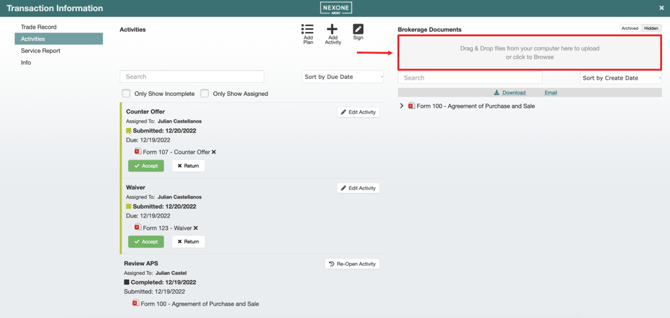
You can add files by clicking on the grey section under Brokerage documents or you can simply drag and drop documents from your computer.
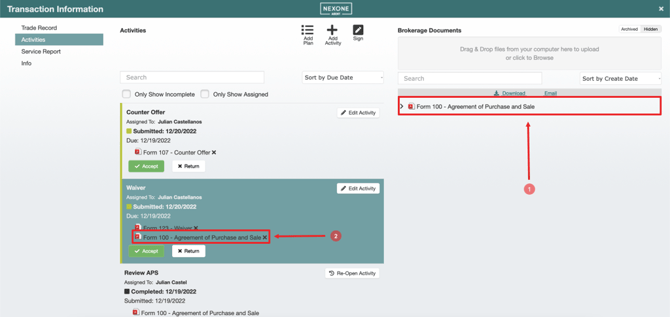
Once the document is uploaded, you can drag and drop it into any activity you want.
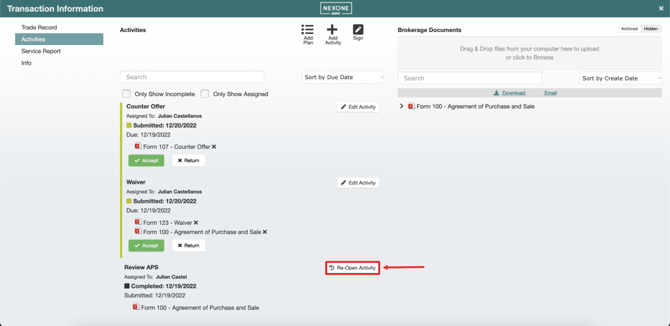
If an activity had already been completed, you can keep working on it by selecting the “Re-open Activity“ option located to the right of the latter.
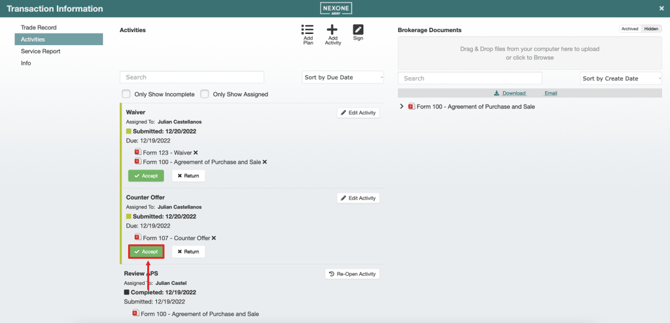
You can also “Accept” an activity which will change its status to “Complete”.
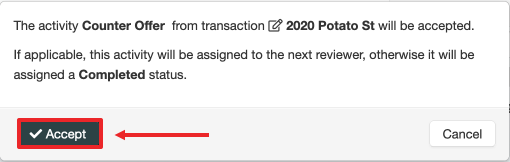
You have to confirm your selection by pressing on “Accept“ in the pop-up window that opened up.
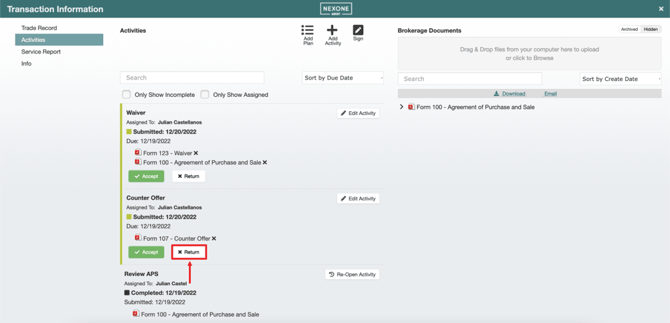
Or you can “Return“ the activity by pressing on “Return“.
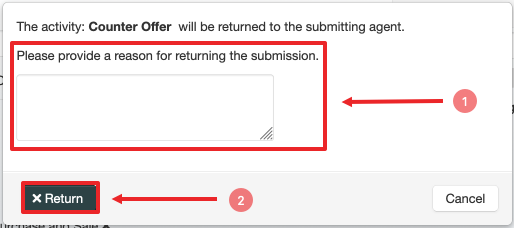
You will have to confirm your selection by giving a reason for your return as well as pressing on the “Return“ option in the pop-up window that opens up.
Any pending activity can also be deleted from this section by pressing on “Edit Activity“ to the right of the latter and then “Delete” in the pop-up window that opens up.
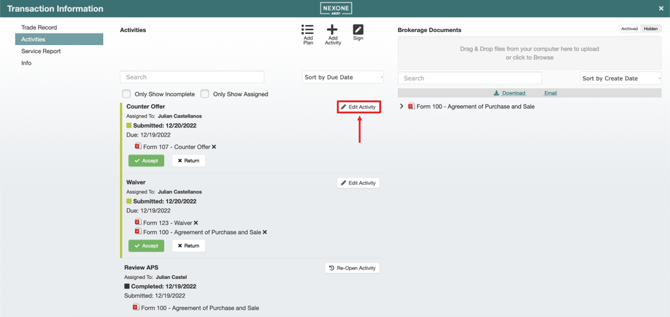
Unless the activity is optional, the transaction manager is the only one who can delete it.
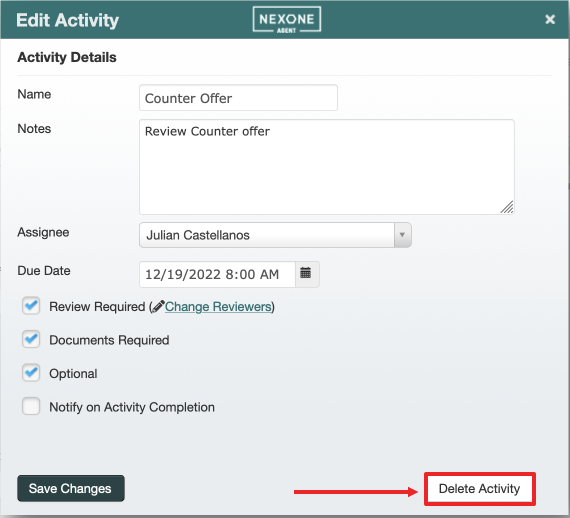
You will have to confirm your decision.
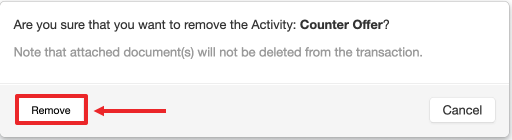
You can modify the activity’s details by pressing on “Edit Activity“.

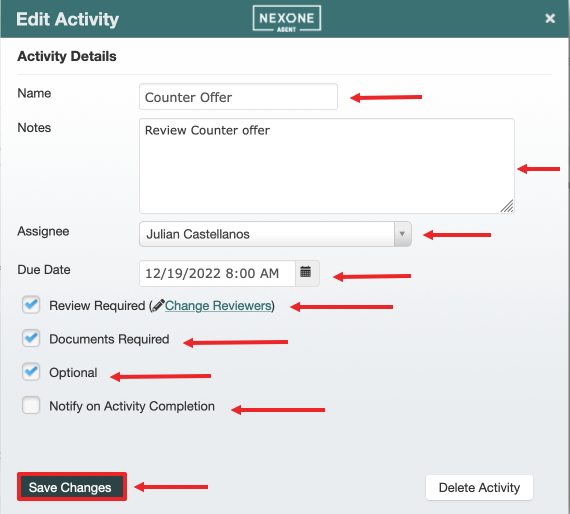
You can modify the name, the description, the assignee, the activity’s due date and even some additional options; if a reviewer is required, if the activity is optional, if documents are required and if the user needs to be notified after completion. You can then press on “Save Changes” to apply any modification.
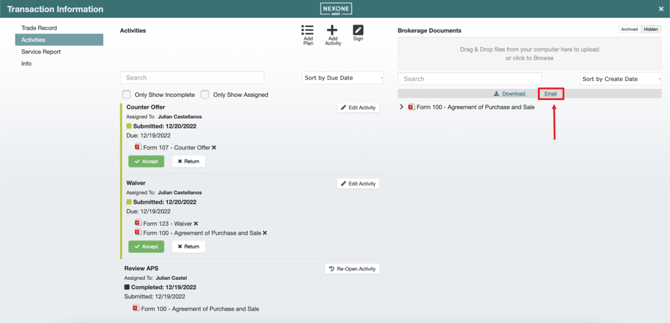
You can also send any document that’s within the transaction via email by pressing on the “Email“ option right above the “Brokerage Documents”.
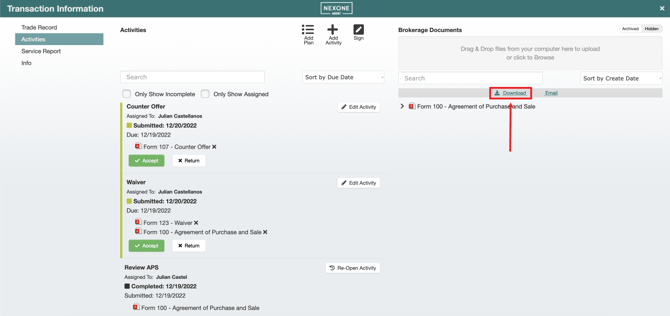
Or you can download any of the documents that are within that transaction by pressing on the “Download“ option right above the “Brokerage Documents”.
You can also Add an activity plan, add an activity or send the documents for signing at this point.