
Update your Profile. This includes: your contact info such as: address and phone, your brokerage contact info, your profile picture or business card, email signature, plan upgrades, credit card information and more.
Profile
Adding or Updating your Profile within NexOne Agent is easy and important. This information is used throughout the platform from emailing your clients to automated showing reports.
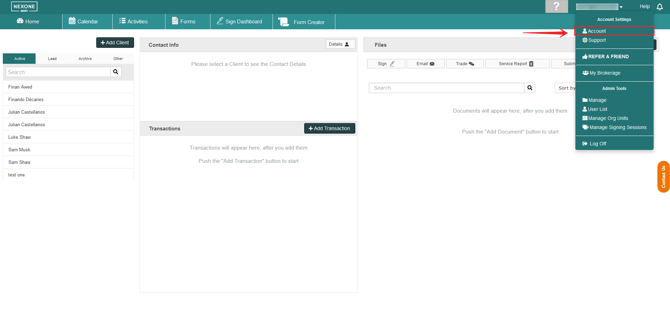
1. Enter your Profile by expanding your Account settings through clicking your name, then click Account.
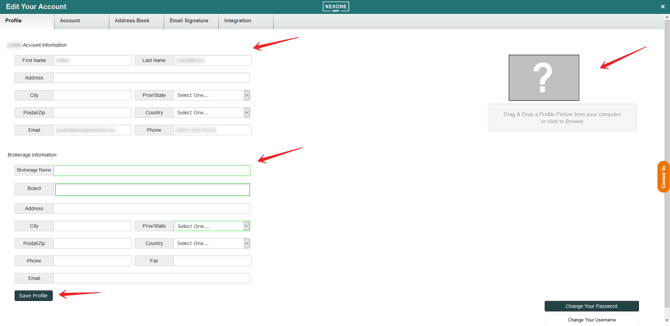
2. Fill in your information, which may include your brokerage, and add a picture!
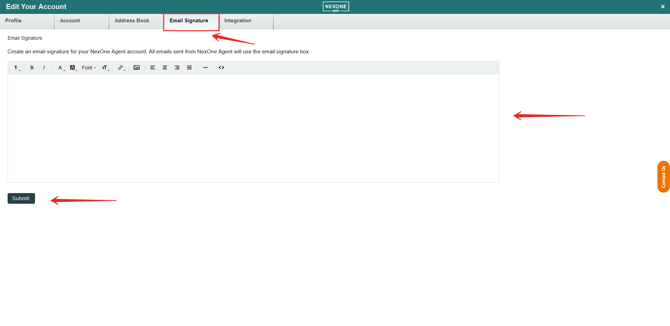
3. Add a personalized email signature.

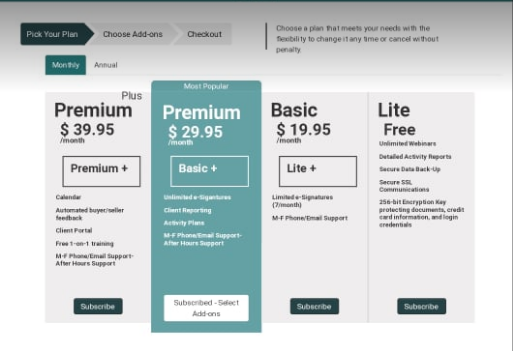
4. You can also Change Your Plan and gain access to Basic and Premium NexOne Agent services. You can also update Your Credit Card on File.
For all email updates please contact a NexOne representative.
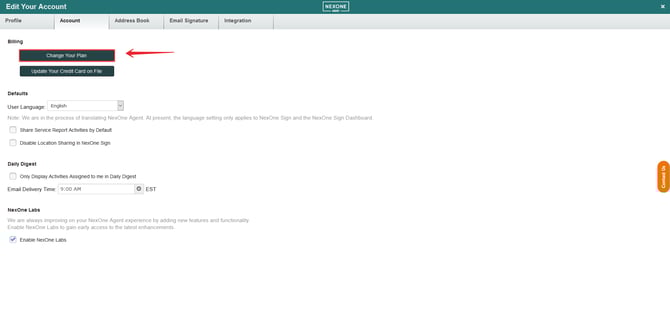
Now you can select your plan.
Support
-
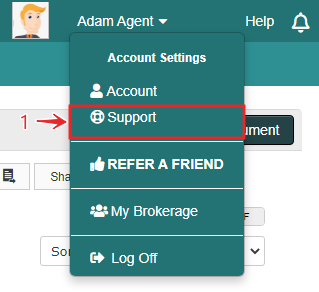
Click on the “Support” button located in the drop-down menu that appears when clicking on your name at the top right hand side of your screen.
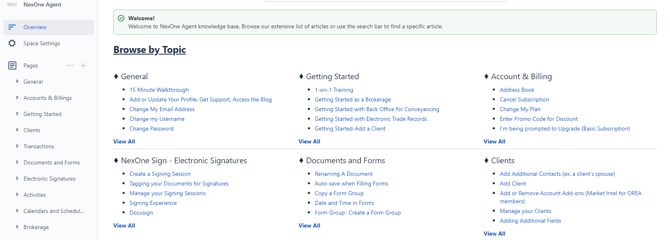
Now you can find tutorials about every aspect of NexOne Agent.
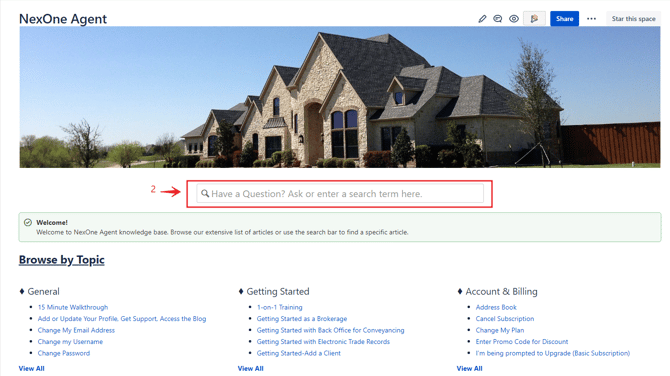
You are also able to search tutorials by typing Key words in the search bar shown above.